How to Design a Kick-Ass Website Using Claude (Hint: Claude Code is Your Daddy.)
Woo!
Just finished TWO superrrrr fun website makeovers by pairing my ideas + Claude Design + Claude Code inside of Claude for Business Owners—and I gotta show you how these flamethrowers turned out!
The first is for volunteer student Ashley, who breeds Toy Aussie puppies in Massachusetts (current site here) and has the cutest business everrrrrrrrrr. :) :) :) I mean?!?!? How are we not all reserving a puppy right now???????
Check out these siiiiiiiick before/afters 🌟🌟🌟 👇👇👇 ☄️☄️☄️
Ashley's Dog Breeding Business
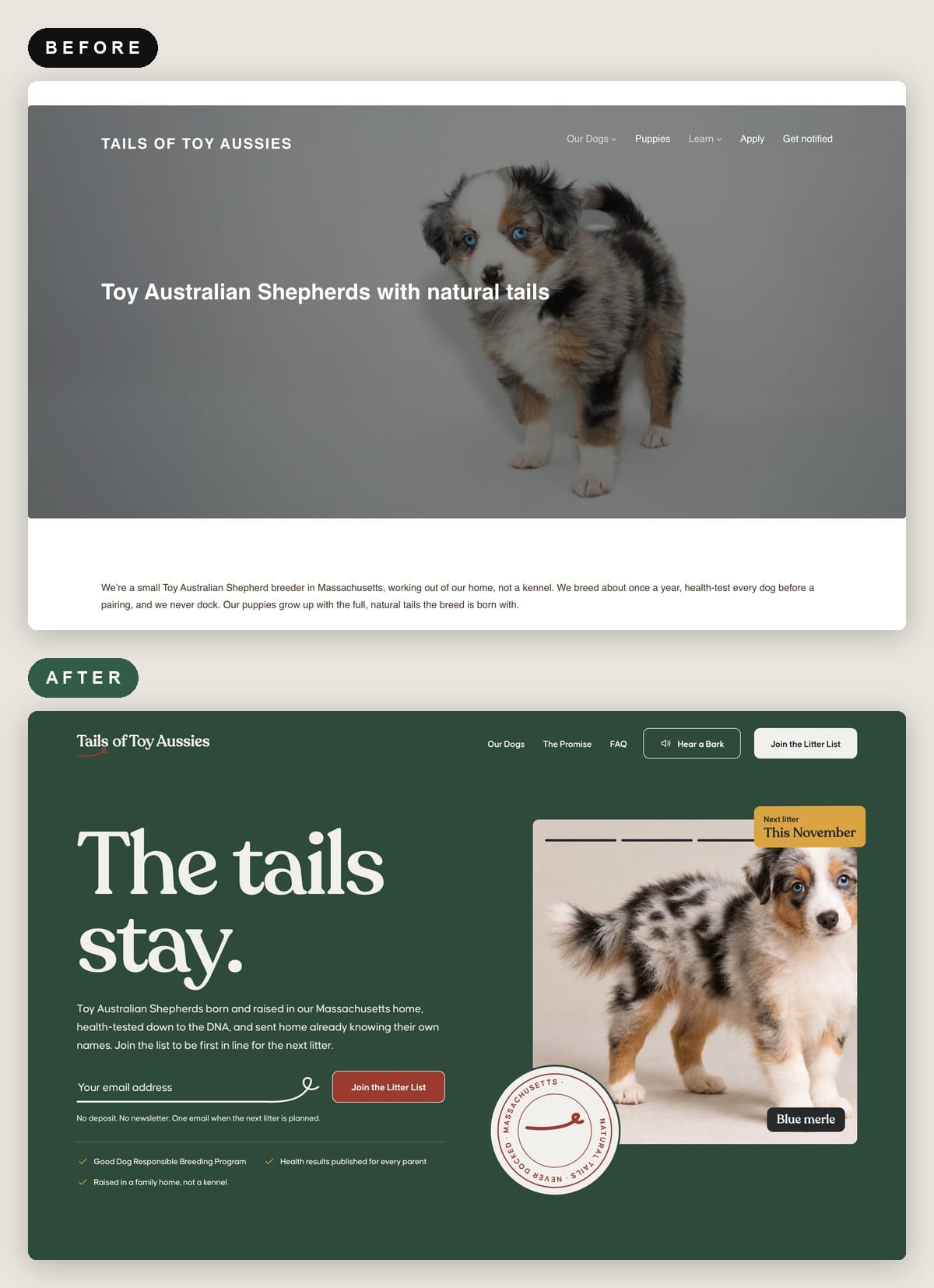
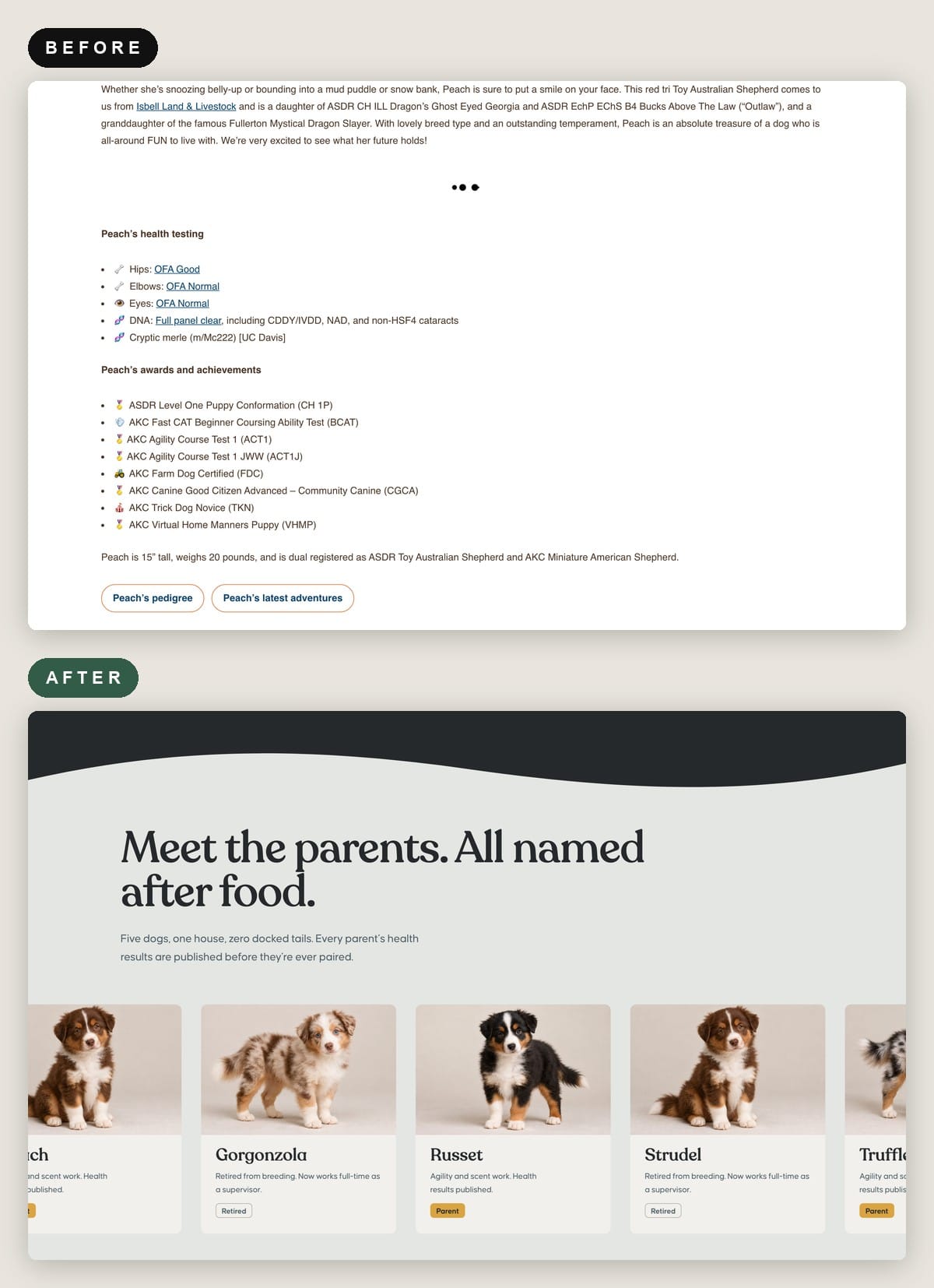
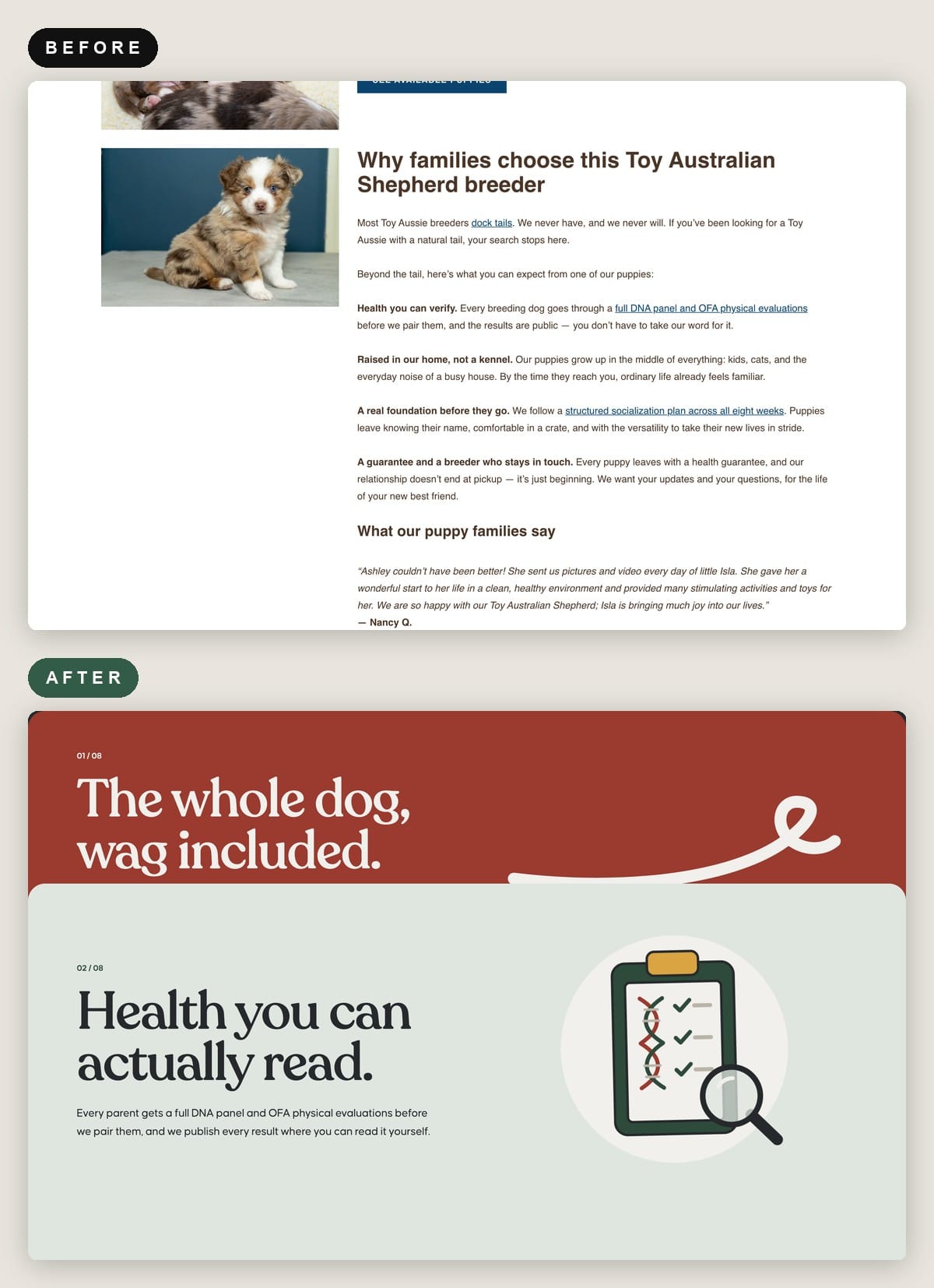
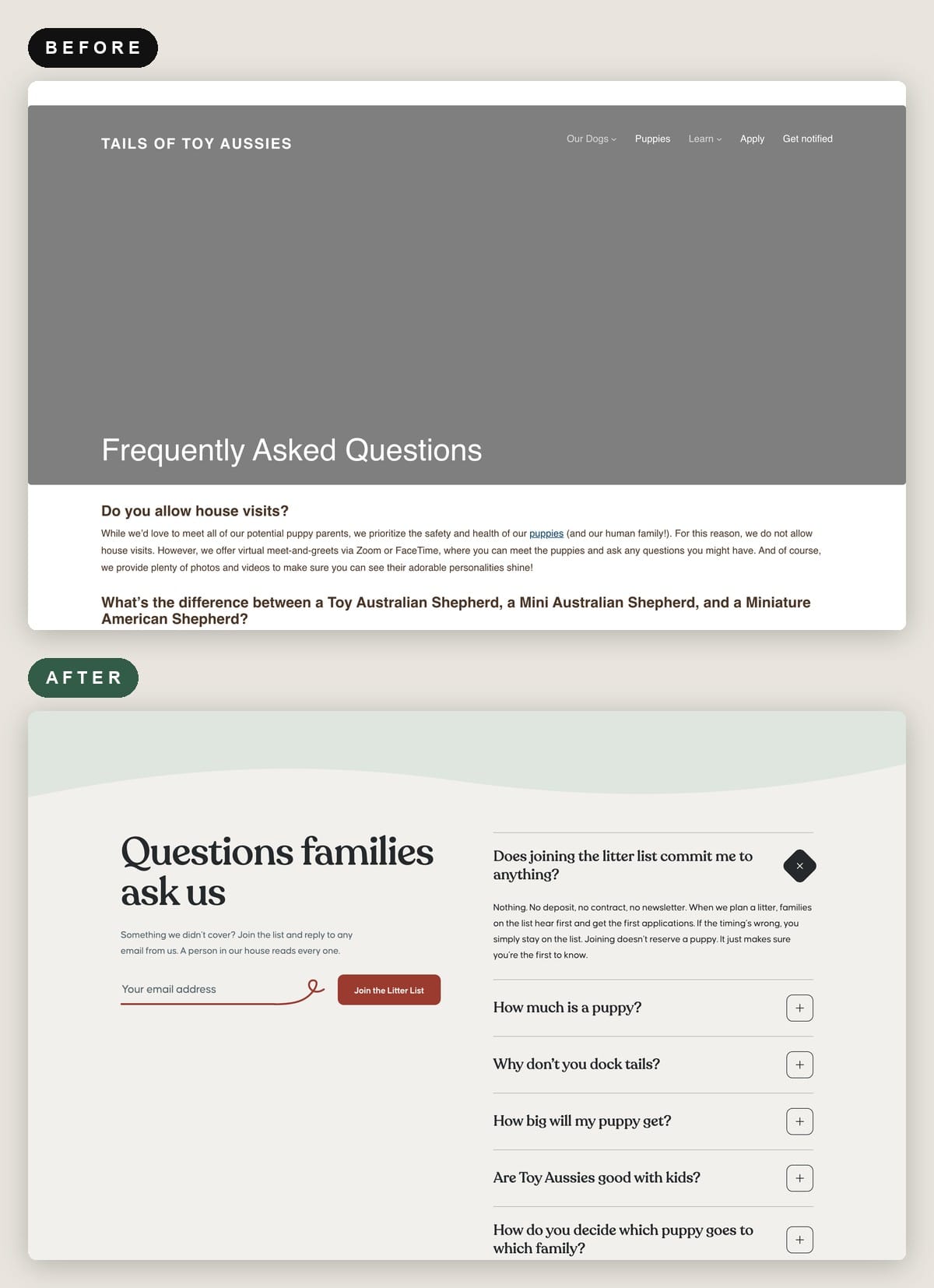
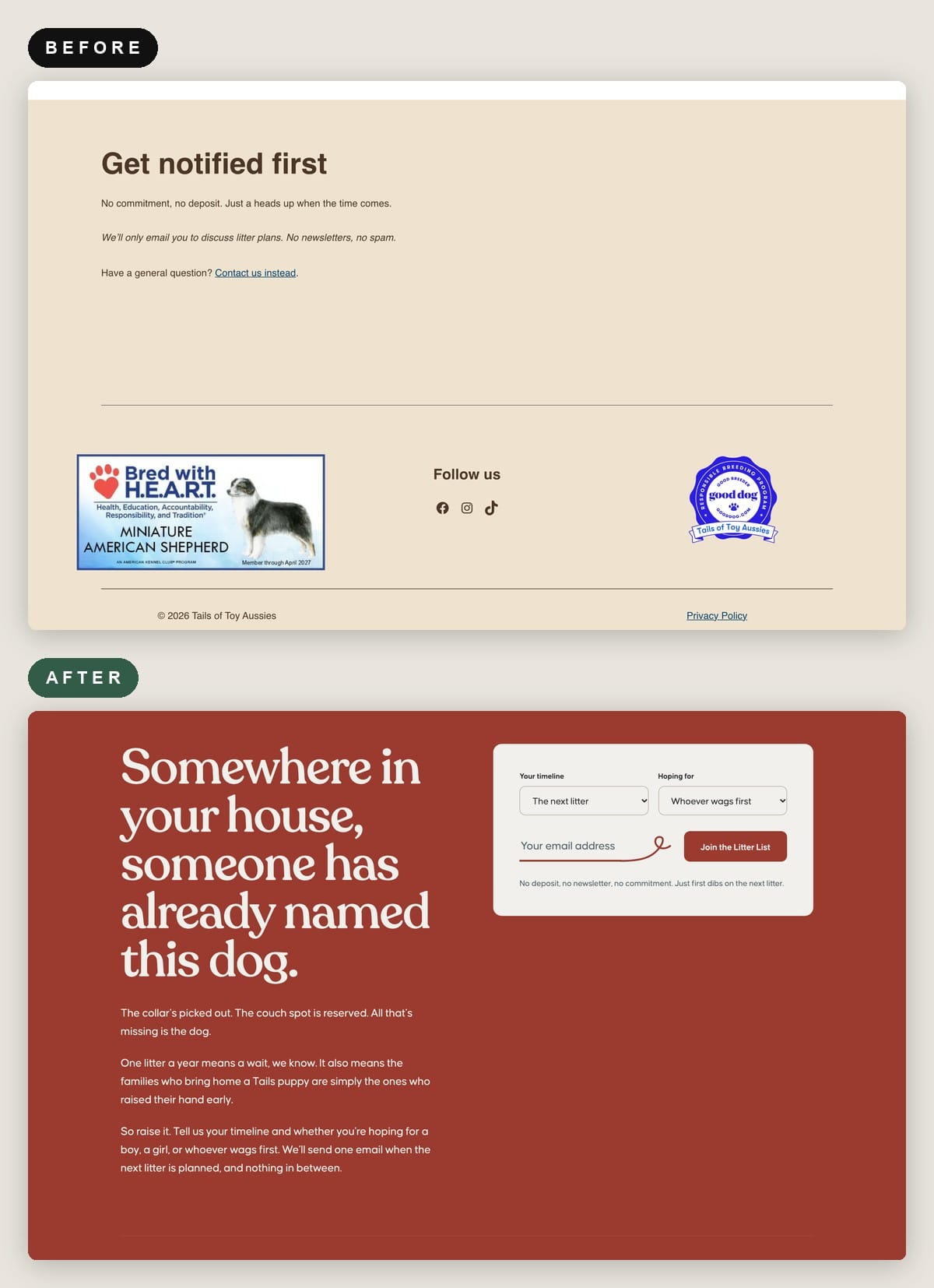
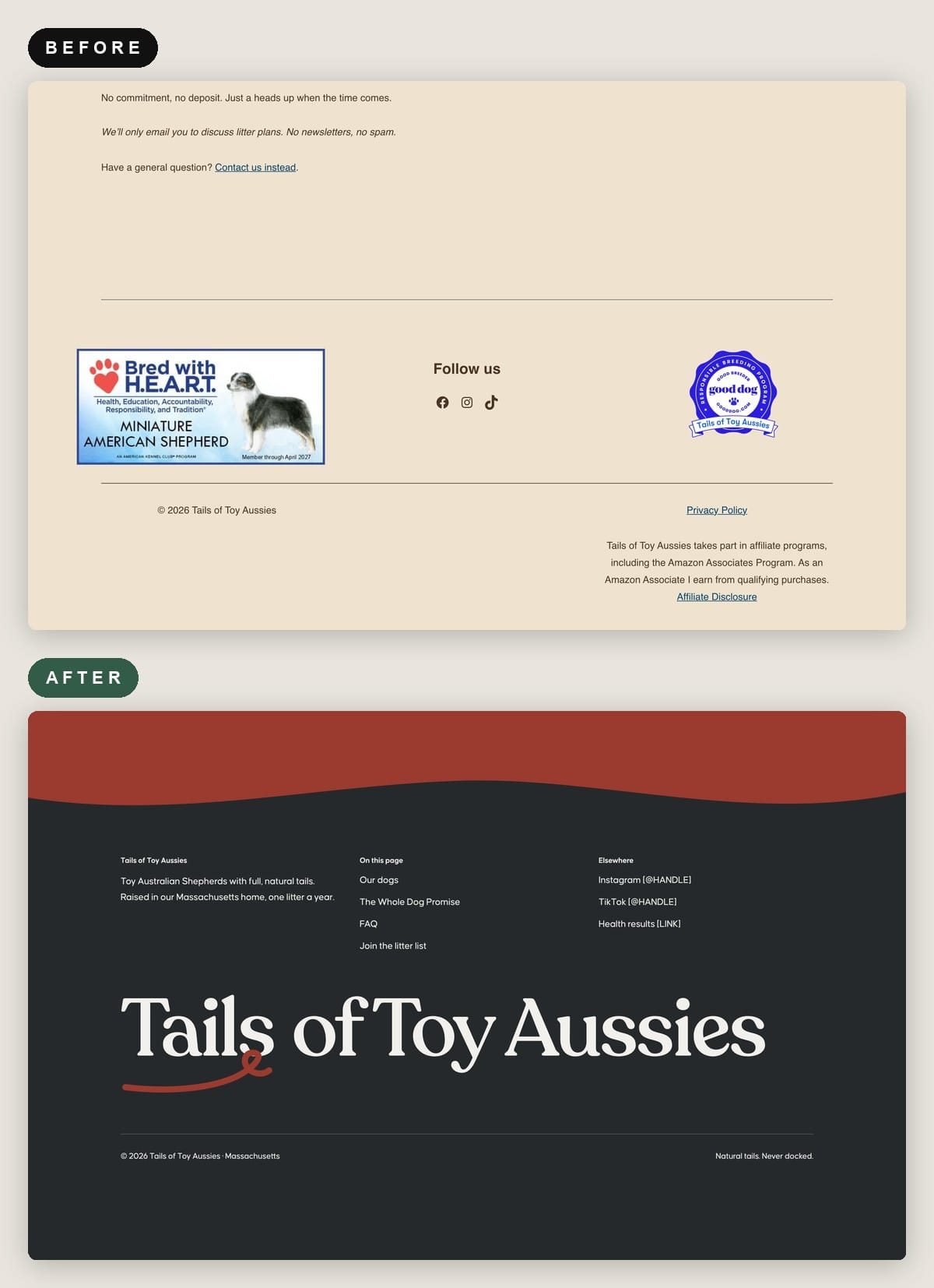
I decided typography, I decided color palettes, I art directed Claude to edit this according to my vision (like making the opt-in field look like a curly cue dog tail, since they've made a name for themselves by not docking their dogs)—but then? It's just a matter of telling Claude to do it.
And Claude makes it so!
I also had fun creating a button at the top that, when pushed, barks adorably at you, and an animation that throws bones in the air when you click on other buttons, and a fun little animation of an Aussie toy dog that runs across the screen at the bottom.
The only thing I didn't do for these is copy: it was pulled from whatever was originally on the site, combined with a few things Claude made up for the design demo. :)
(Ashley, the site is yours if you want it!)
Vivian's Home Organizing Business
And THEN we have another one of our most delightful volunteers, Vivian, who has an awesome home organizing company in New Jersey—and is originally from Portugal, which is what inspired the color palette. 🥰
She currently has a full content website, a quiz, a Substack newsletter, and one hell of a fun writing voice (with posts titled things like "Keep the Freakin' Bread Maker), sooooooooooooooooo, I created this one with Claude Design + Claude Code...and then pushed it to Ghost, which offers full publishing capabilities.
My recommendation? Go ahead and keep your Substack newsletter, but publish first on your main site, so you can own the content on your own domain, build your site’s authority, give AI search tools a page they can attribute to you, and shows prospective clients you’re active. (You can just run a command in Claude to automatically pull your latest post and publish it on your Substack, without you having to do this manually. You just need to have to be logged into Substack on Google Chrome for it to work. And make sure you have the Claude in Chrome extension.)
Sooooo, here's what I envisioned for the LOVELY Vivian. 💪💪💪 🎉🎉🎉 💻💻💻
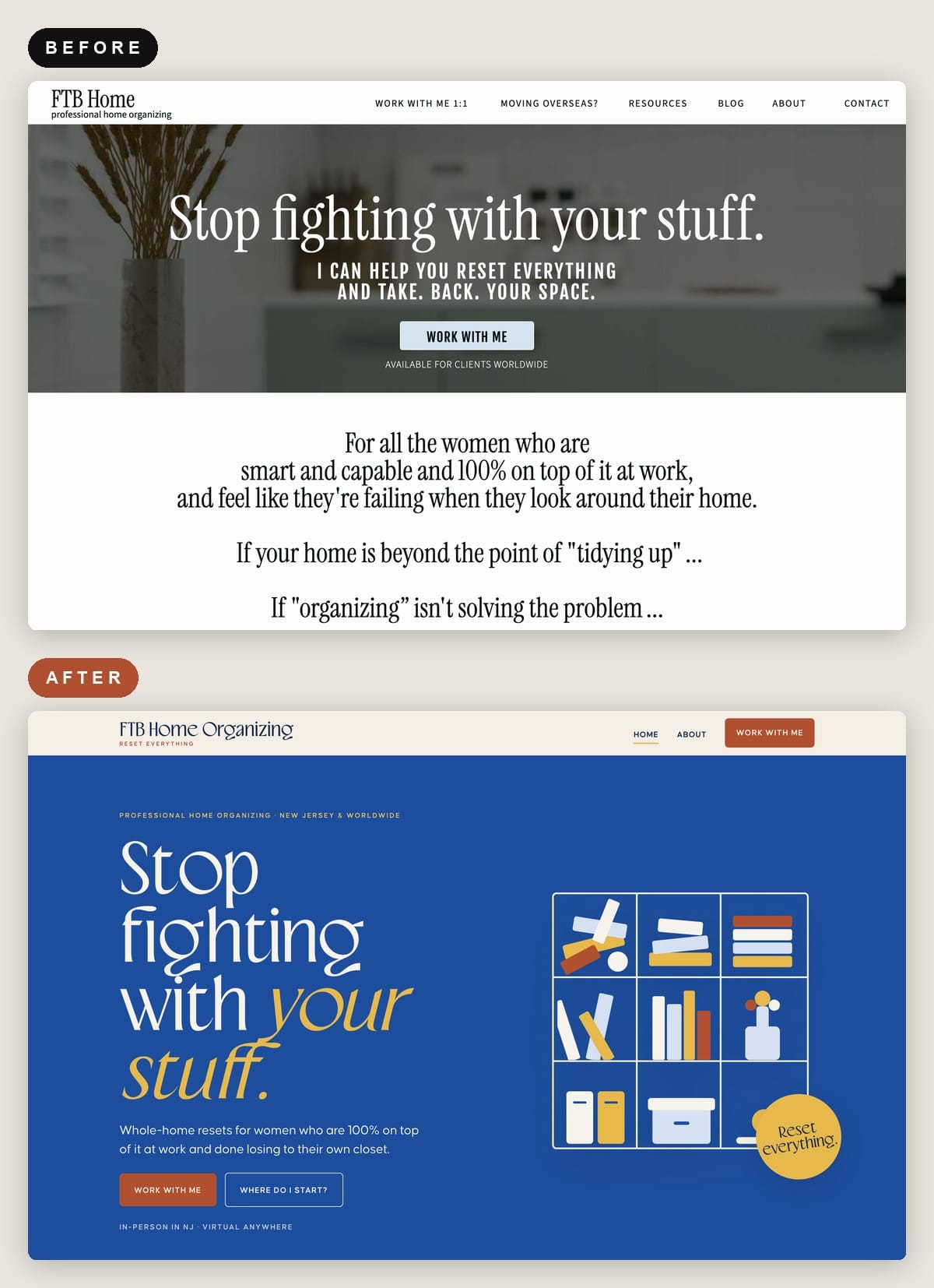
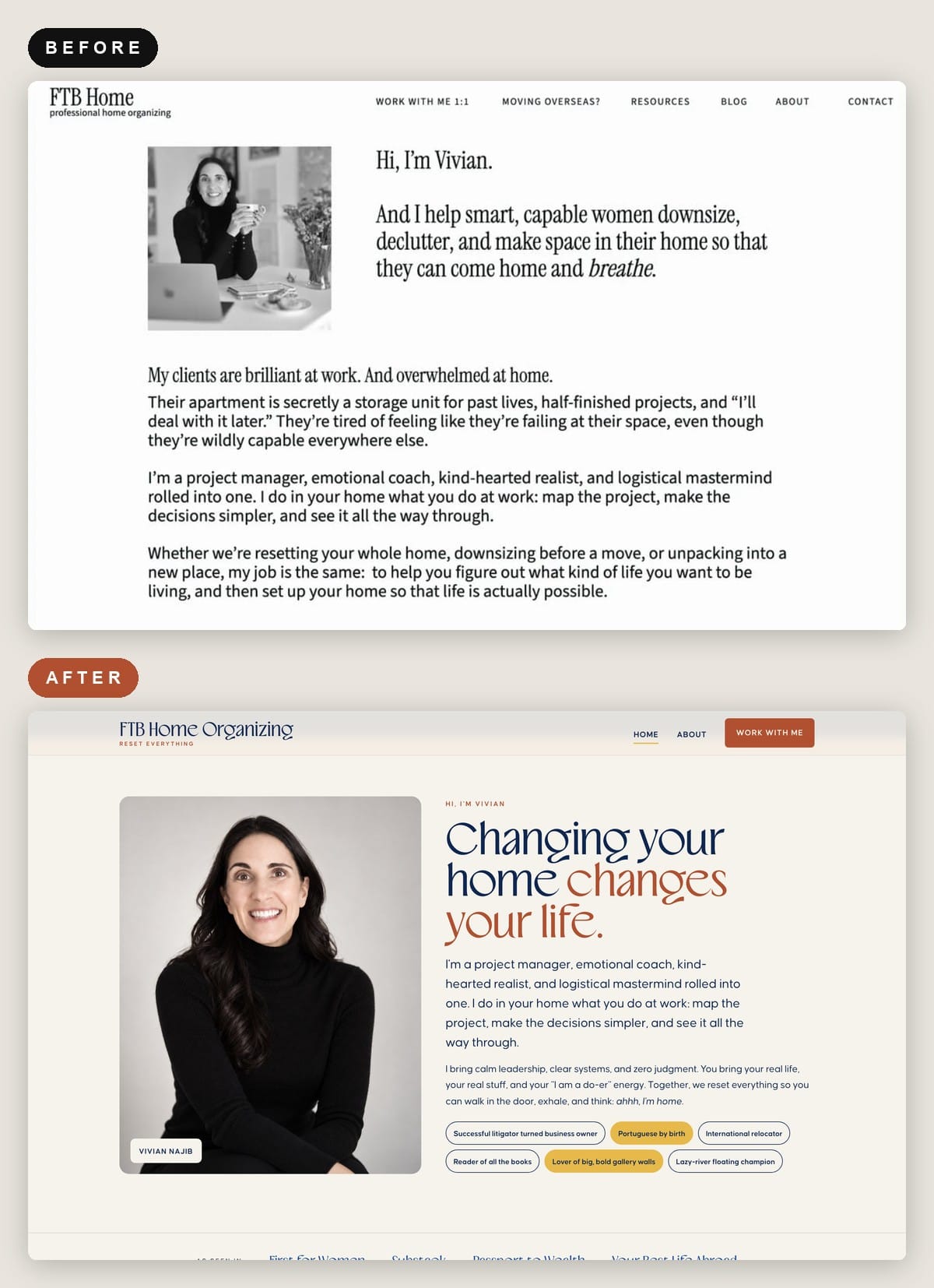
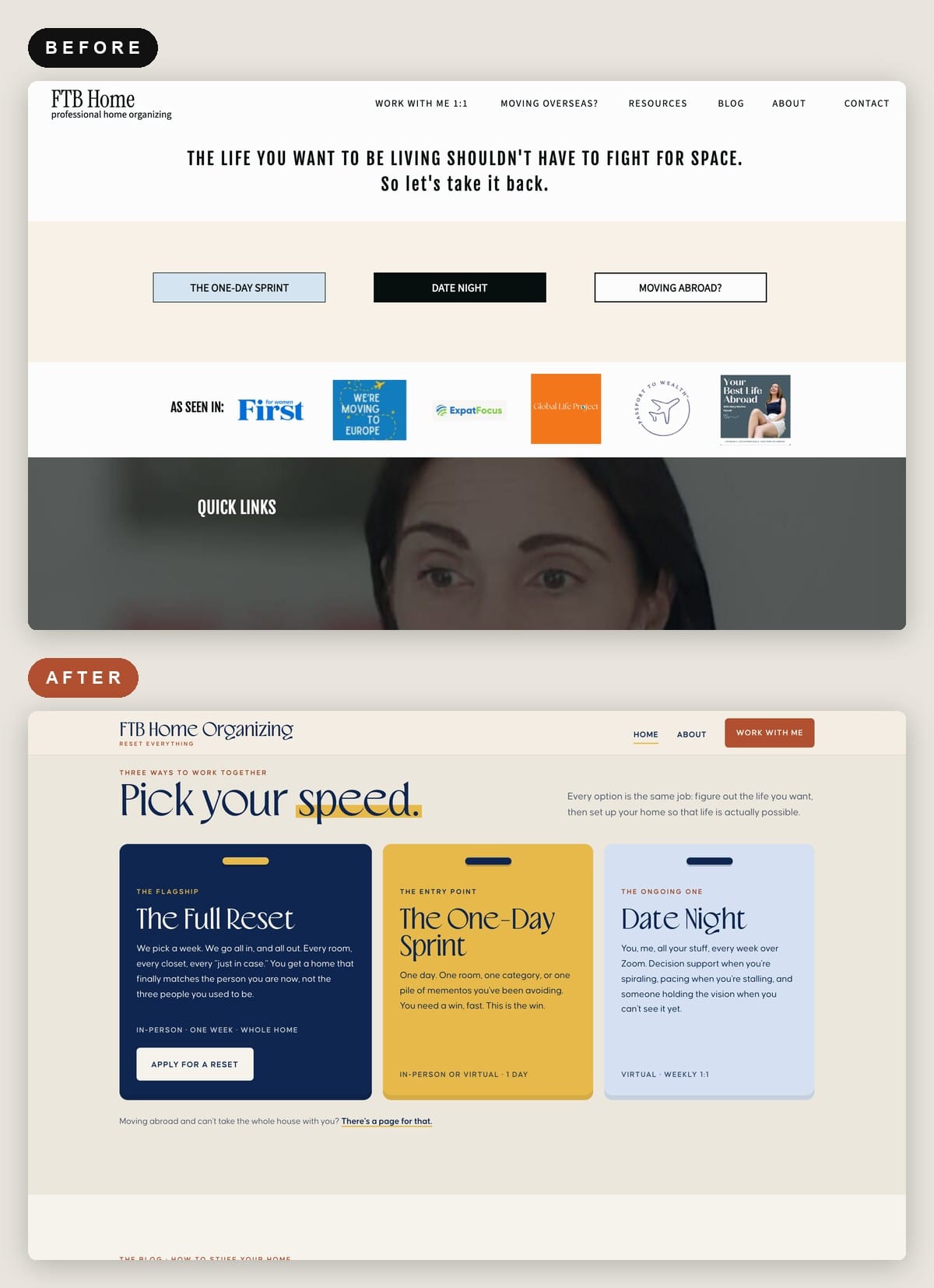
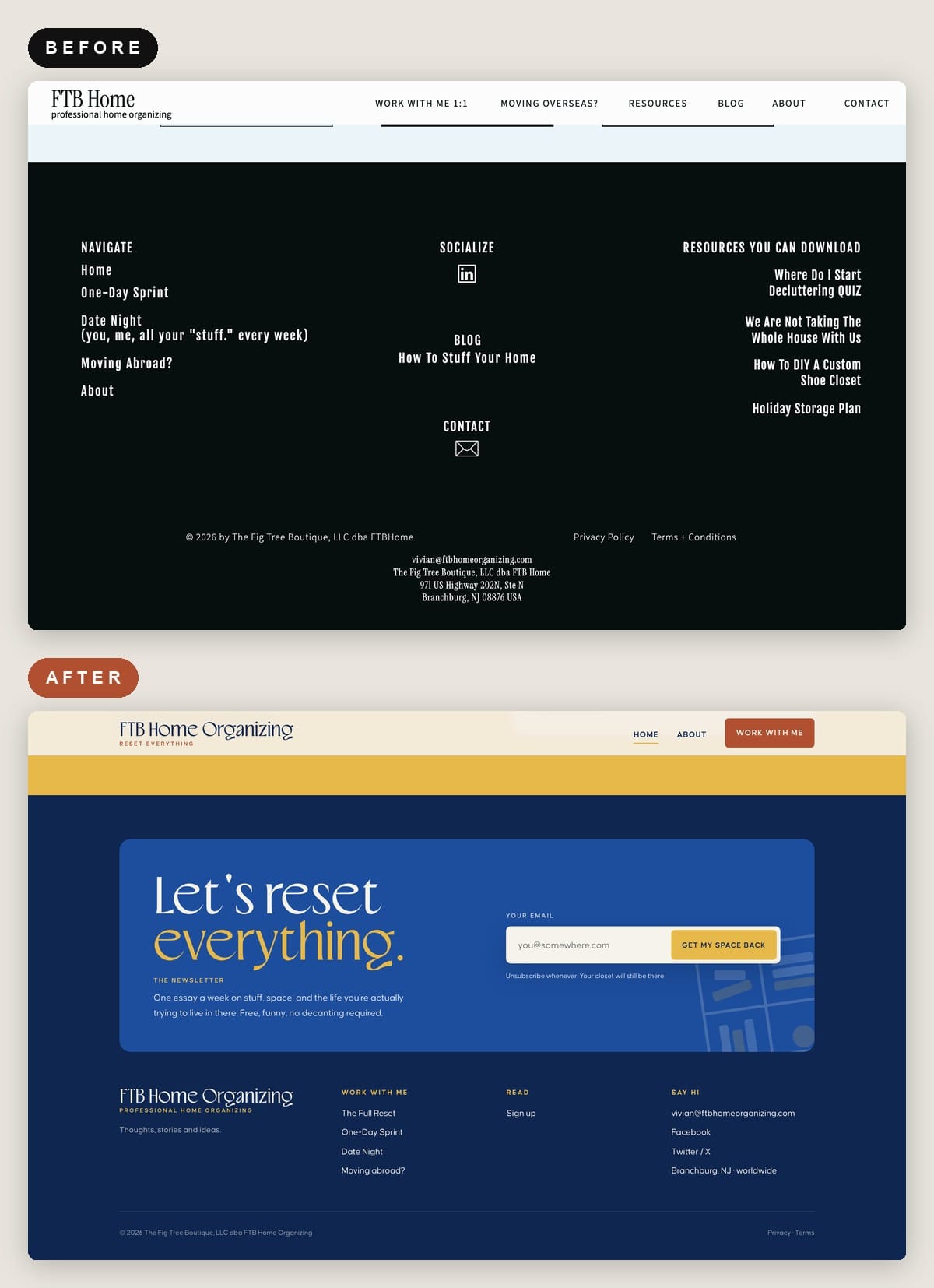
Vivian, it's all yours if you want it!
The cool thing is she can take the reigns & continue to play with it from here: if she wants different colors, or different fonts, or different graphics, or different layouts or different copy or different images or different ANYTHING. She just needs to work inside of Claude, and it shall be done.
This is truly unprecedented.
A Few Snazzy Razzy Tips for Making Your Website Bang Bang With Claude
- Buy the web font license, not only the desktop one. A desktop license doesn’t cover a live website.
- Use the most capable, advanced model in the picker for your first draft — that’s where it matters most. For small, specific revisions, switch to a lighter model like Opus to save usage. If you’re asking for a major rethink, switch back up.
- Keep one design system per project or brand. Pick the right one before every project, or Claude pulls the wrong references.
- Bring reference sites and name the exact thing you like on each. For example “this site’s footer” or “that one’s outlined buttons.”
- Review like an art director. Go section by section and send one batch of specific changes per round. “The features read as a wall of text, make them cards with bigger icons” works far better than “make it better.”
- Ask for the delightful stuff. Confetti, a sound on a button, an illustration that runs across the screen at the bottom. Claude Code can build nearly anything you can describe.
- Ask for custom-designed forms. You don’t have to settle for a Google Form embed.
- For email forms, always pick the HTML embed code, never JavaScript. If your email tool has a Claude connector (Kit does), Claude can wire up every form itself.
- Claude can’t generate photos. Use ChatGPT to turn snapshots or headshots into studio-style shots if you're in a pinch.
- Run a mobile check before you publish: “Make sure mobile renders correctly. Can you do a check?” When I finally ran it, Claude found two real bugs.
- If you want a blog, you need a CMS (content management system, the backend you publish posts from). Ghost on the Publisher plan works best: Claude can design and install a fully custom theme, then publish and update posts for you through Ghost’s API. Squarespace, Wix and Showit don’t accept custom themes, so you’re working inside their templates. You can still have Claude drive your browser to adjust styling and custom CSS, but it’s slower and more hands-on.
- You can’t hand-edit the finished site, because it’s code. Make every change through Claude, in one dedicated Project for the site. Projects keep their own memory and use less context, which also saves usage.
- Install Claude in Chrome and stay logged in to Creative Market, Ghost, and your email tool. Claude can only work in sites you’re signed into, which is how it finds font pairings or grabs your Ghost API key.
ChatGPT gave you the summary.
I give you the rest. Live experiments in remote work, publishing, and AI, from someone who’s been doing this for 17 years. (Still not a newsletter about fish.)
Liked the short answer? The long ones arrive by email.
Do Extraordinary Work. From Anywhere.
I run business experiments in remote work, internet publishing, newsletter growth, and using AI to make your projects pay so well your Stripe notifications start sounding like a slot machine at a Reno bowling alley. This is not a newsletter about fish.
Free. Daily or weekly, you pick.
From the Penguin Random House author seen in The New York Times, The New Yorker, The Guardian and The BBC