Claude for Business Owners
Hand Claude everything you dread about running your business.
The website you've been “about to redo” since 2019. The Canva graphics you don't even like. The blank screen when it's time to write. The cold pitching. The lead follow-ups. (Shudder.) The proposals, the clients you have to chase, the bookkeeping, the taxes, the inbox. Keeping track of everything.
This self-paced, on-demand class teaches you how to use Claude to take all of the exhausting business stuff off your plate, and turn your business into a superhero version of itself. One that proactively tells you what needs to be done. One that comes up with brilliant suggestions for you every single Monday morning. One that knows what you should do, at any juncture, because it knows your business, and it knows your goals, too. And one that feels so much more like a vested business partner, who can help you strategize and plan and brainstorm and give yourself a major glow-up in time for 2027.
Claude does the work. You make a sandwich. #bestemployeeeever
$995 · On-demand. Start the minute you enroll.
The Website Guarantee: Finish Part Three, and if you don't have a live website you're proud of, email me within 14 days and I'll refund you.
From the Penguin Random House author seen in The New York Times, The New Yorker, The Guardian & BBC
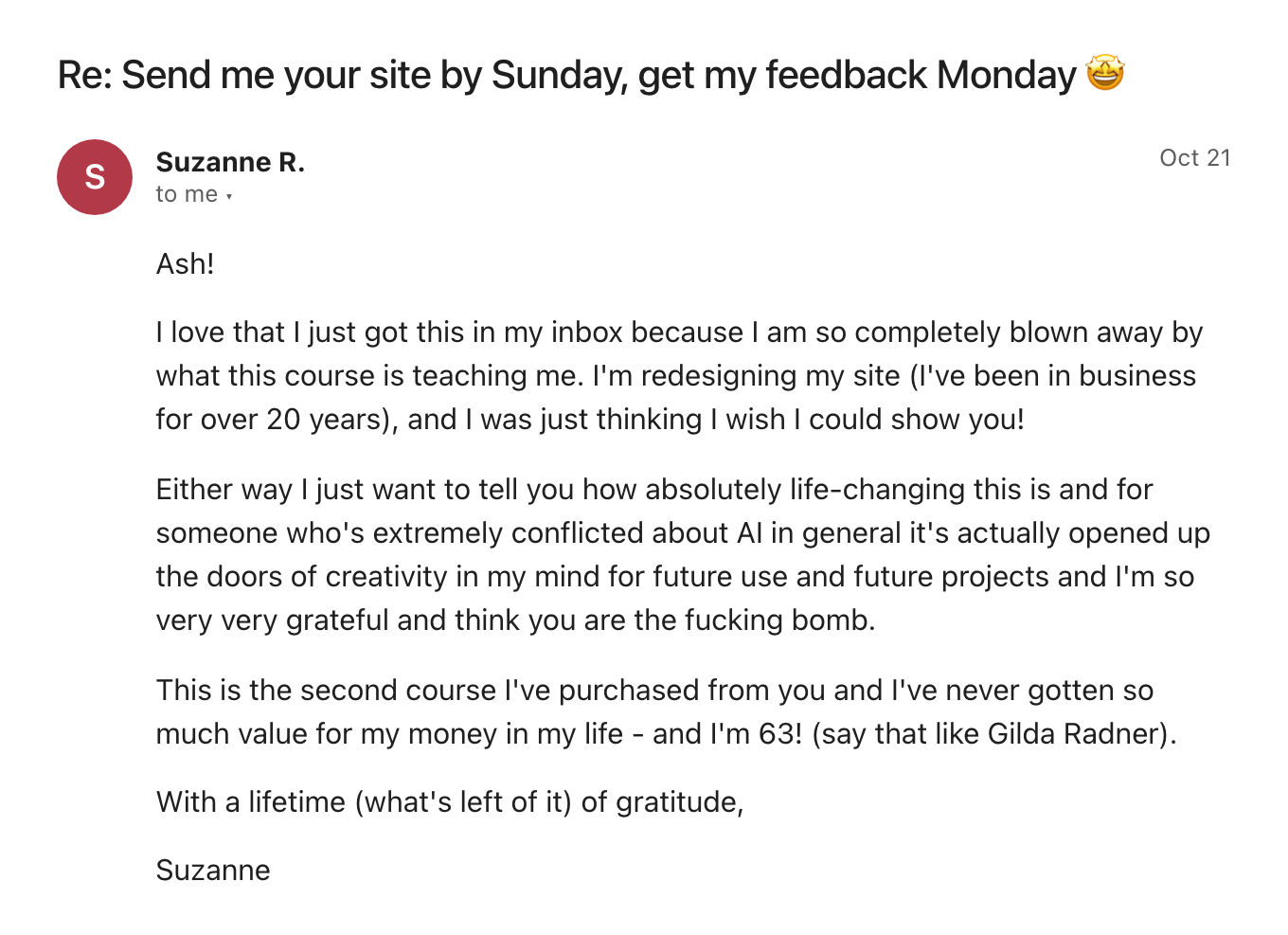
“This is the second course I've purchased from you and I've never gotten so much value for my money in my life. And I'm 63!”
Suzanne R. · brand photographer, 20 years in business · rebuilt her site in Part ThreeSound familiar?
I asked the business owners enrolling in this class what they'd most like taken off their plate. Here's what they told me:
- →“Spending ages making Canva graphics I don't even like.”
- →“Staring at the screen trying to figure out what the hell I'm going to write.”
- →“Following up with leads. And cold outreach. (Shudder.)”
- →“Making estimates and proposals.”
- →“Chasing clients to make sure they've actually checked every box.”
- →“Updating client records from a hundred emails, messages, and voice notes.”
- →“Keeping track of who's bought what.”
- →“Building anything digital. Websites, products, apps. All of it.”
- →“Bookkeeping. And taxes. I loathe taxes.”
Every one of those is a lesson in this class.
Feel like you've got a staff of fifteen Harvard grads working for you 24/7 and stop being the bottleneck in your own business (finally).
You know that list of things you've been “meaning to get to” since roughly 2019?
Inside, you'll finally cross off every one:
- →The brand you've been “about to redo” for three years, finished in an afternoon. Fonts, colors, logo direction, the whole vibe, pulled out of you by the exact interview I use on my own business. (Wait until you see what happens when Claude never forgets a word of it.)
- →The website you're embarrassed to send people to, replaced by one you can't stop showing off. You art direct. Claude builds. Zero code, your own domain, live by lunch.
- →The last Sunday you'll ever lose nudging a text box around Canva. You make exactly one banner. Every other graphic you'll need this year makes itself from it.
- →The emails you answer forty times a month, answered for you, in your words, while your laptop is shut. There's a specific way to set this up so it sounds like you and never sends something you'd regret. You build it once.
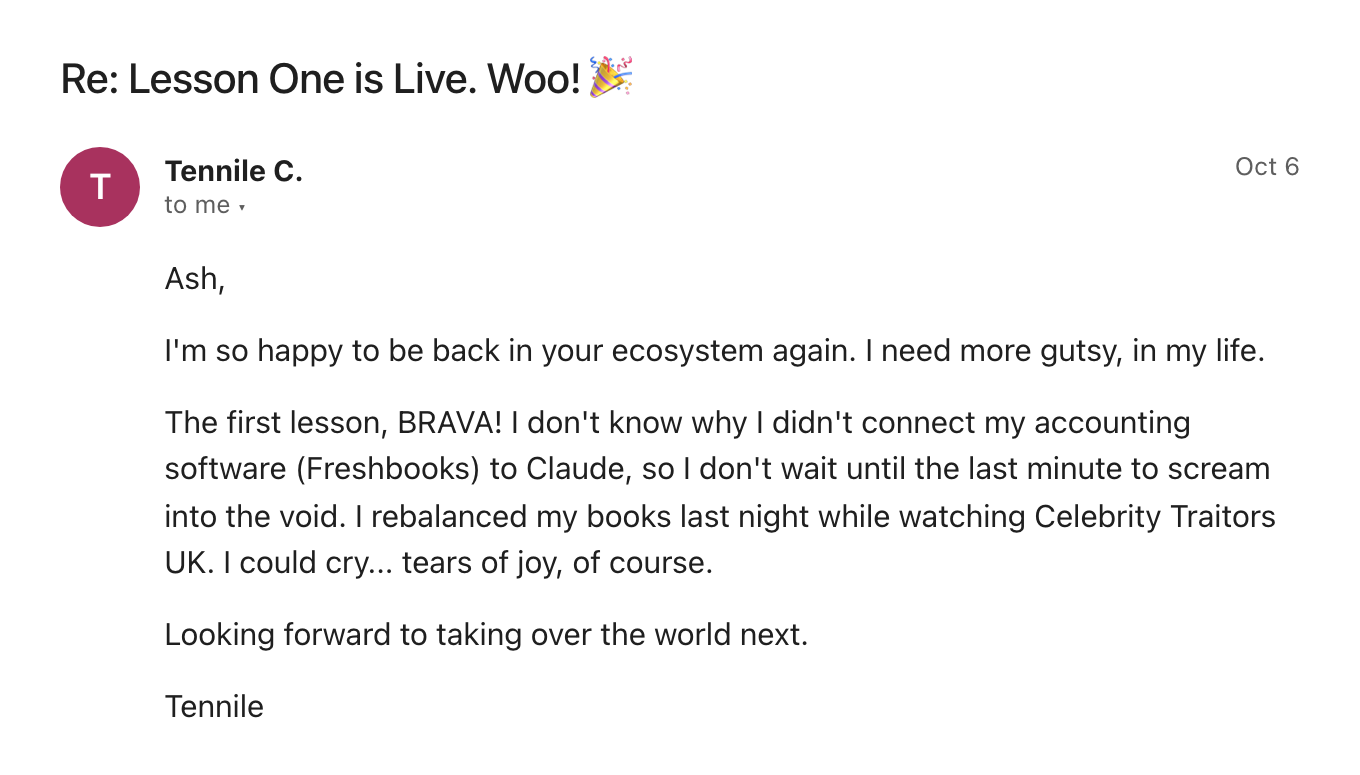
- →Eleven months of bookkeeping you've been avoiding, caught up in a single night. One student cried actual tears of joy. (You'll also meet the $49-a-month subscription you signed up for during a free trial in 2022 and never opened again.)
- →The contract you've been winging, torn apart by opposing counsel before a client ever sees it. Opposing counsel is Claude. It's ruthless. You'll love it.
- →The blank screen, gone. A year of content ideas is already sitting somewhere you'd never think to look. (Hint: you wrote all of them.) Claude delivers the best ones every Monday morning.
- →The four-minute tweak that makes ChatGPT answer with you when someone asks the question you've been answering for years.
- →Cold pitching without the full-body cringe. There's one thing you add that turns “asking for a favor” into “showing up with a present,” and Claude writes every follow-up after it.
- →The price you've been too scared to say out loud, with the math to back it up. A little scary. A lot more defensible.
- →The proposal that used to eat your whole evening, finished before the client finishes her latte. You talk it through out loud. The system you built does the scoping, the pricing, and the branding.
- →The clients you have to chase, chased for you. Status updates go out on their own, the quiet ones get nudged, and you get one email on Monday telling you what actually needs you.
- →Your whole business on one screen, refreshed every morning while you're still looking for your glasses.
That's not an assistant. That's a whole staff, and they never call in sick.
Built in class. By people who “aren't tech people.”
A few of the websites students built (or rebuilt) while working through Parts Three and Four. Real businesses, live right now, shared with their permission. Every one of them was art-directed by its owner and built with Claude.
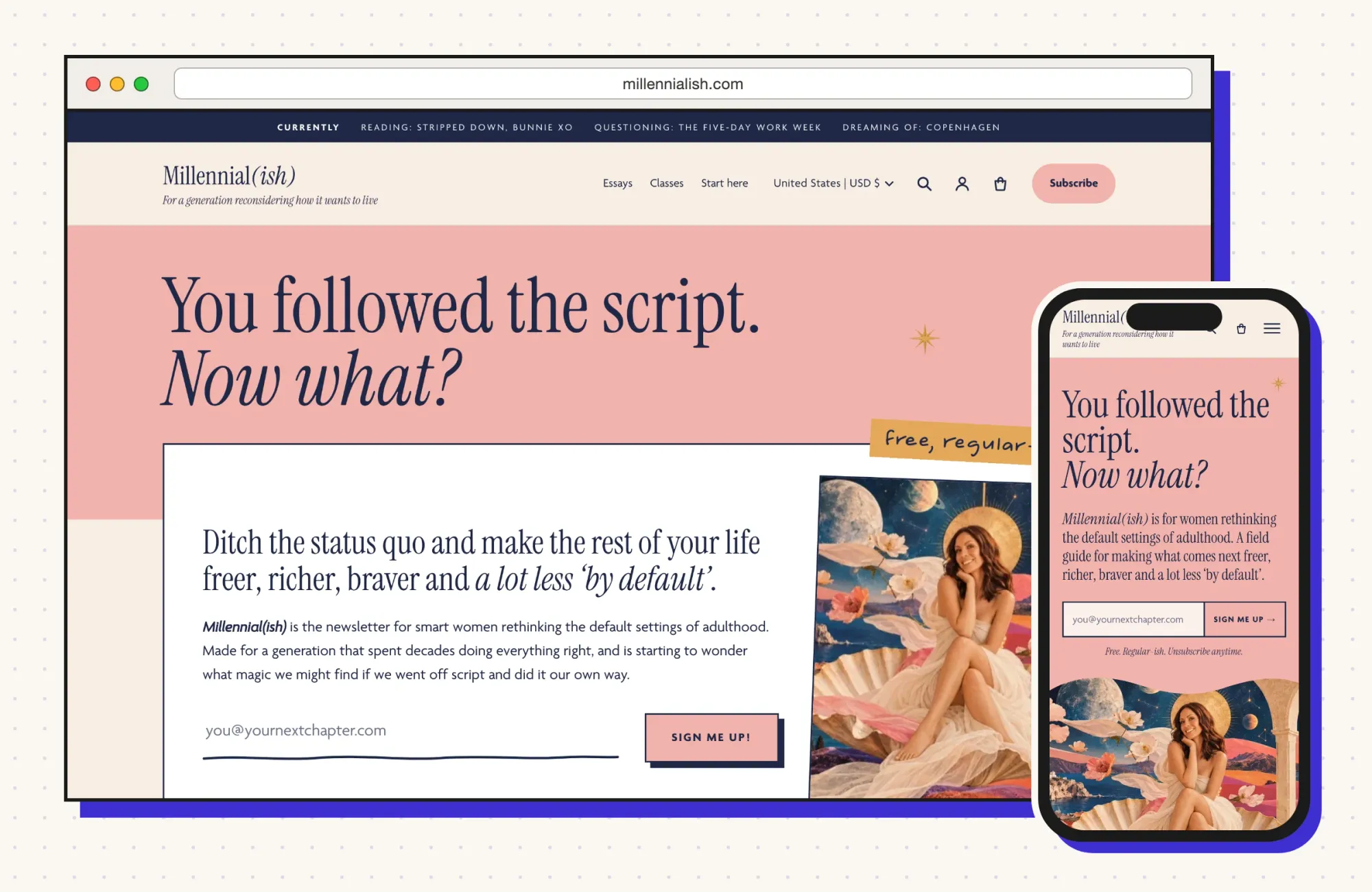
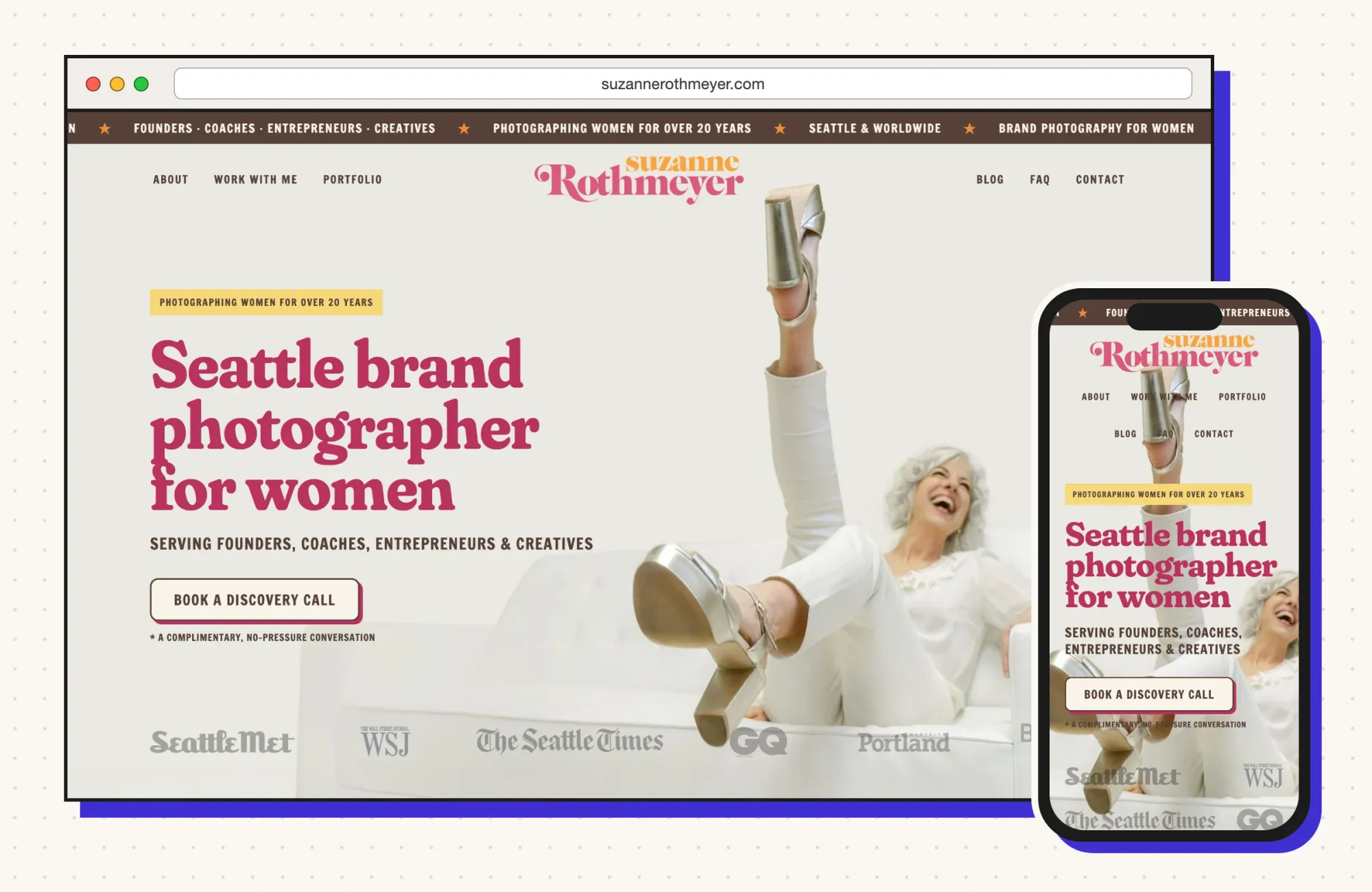
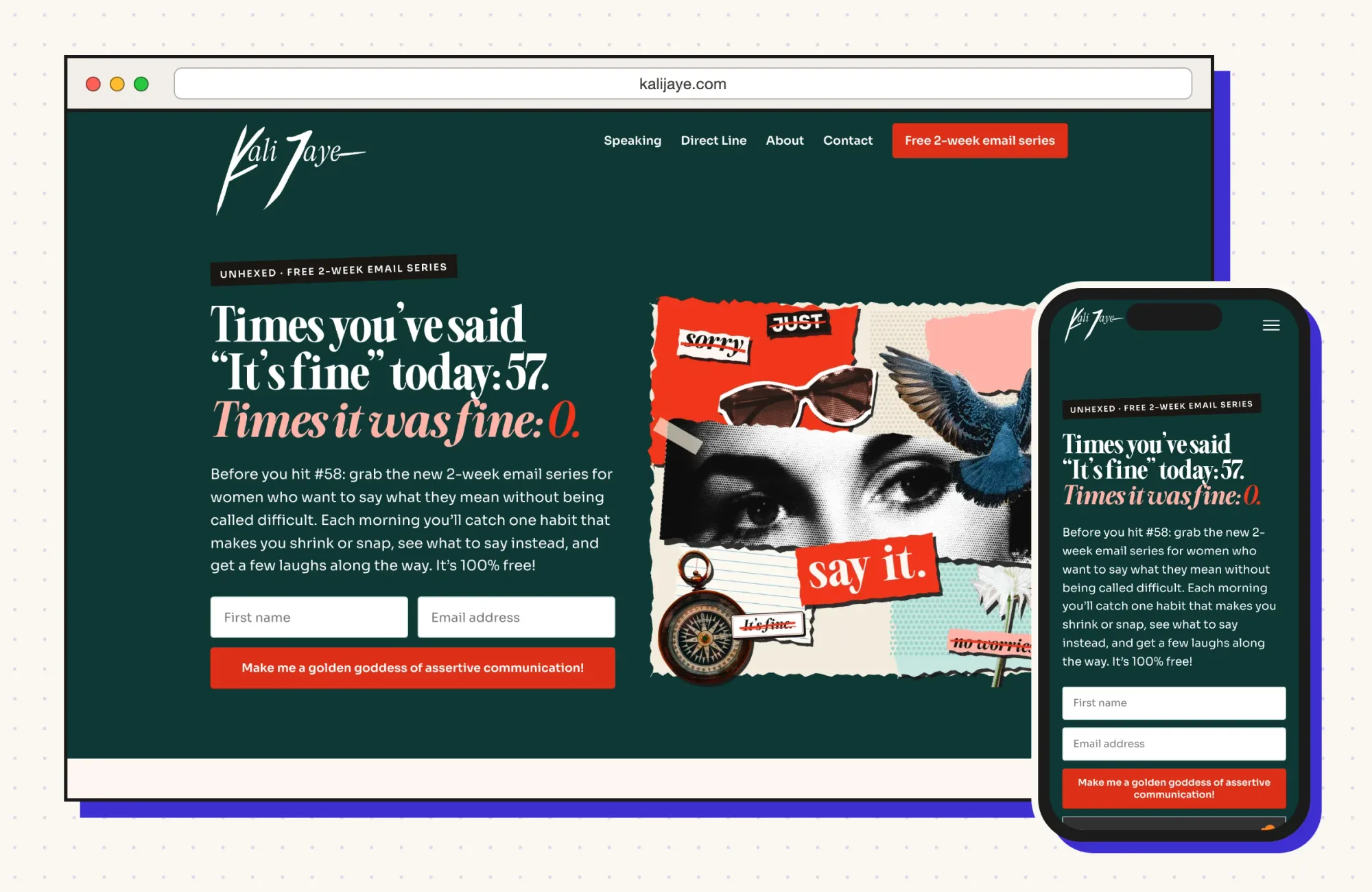
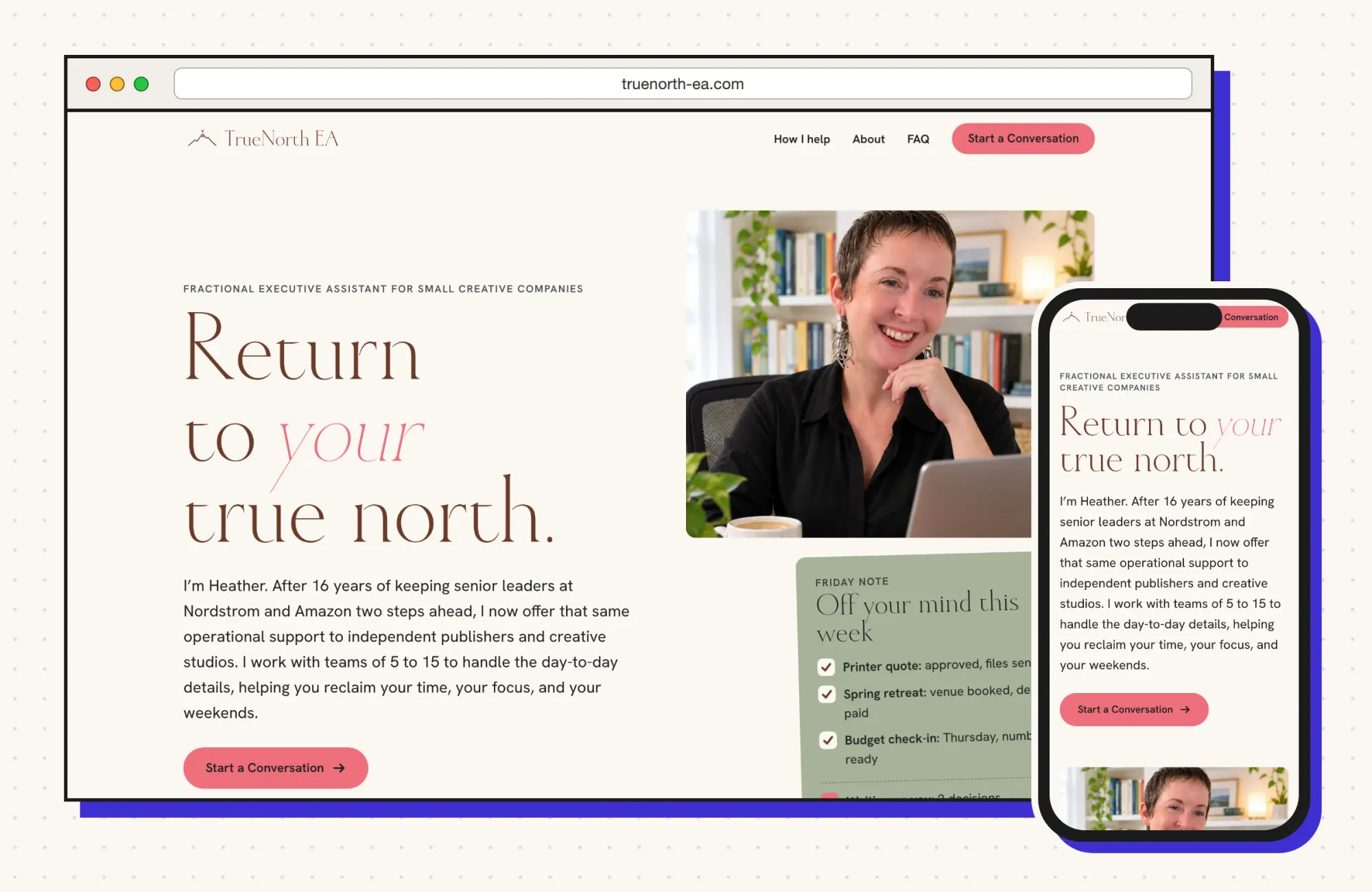
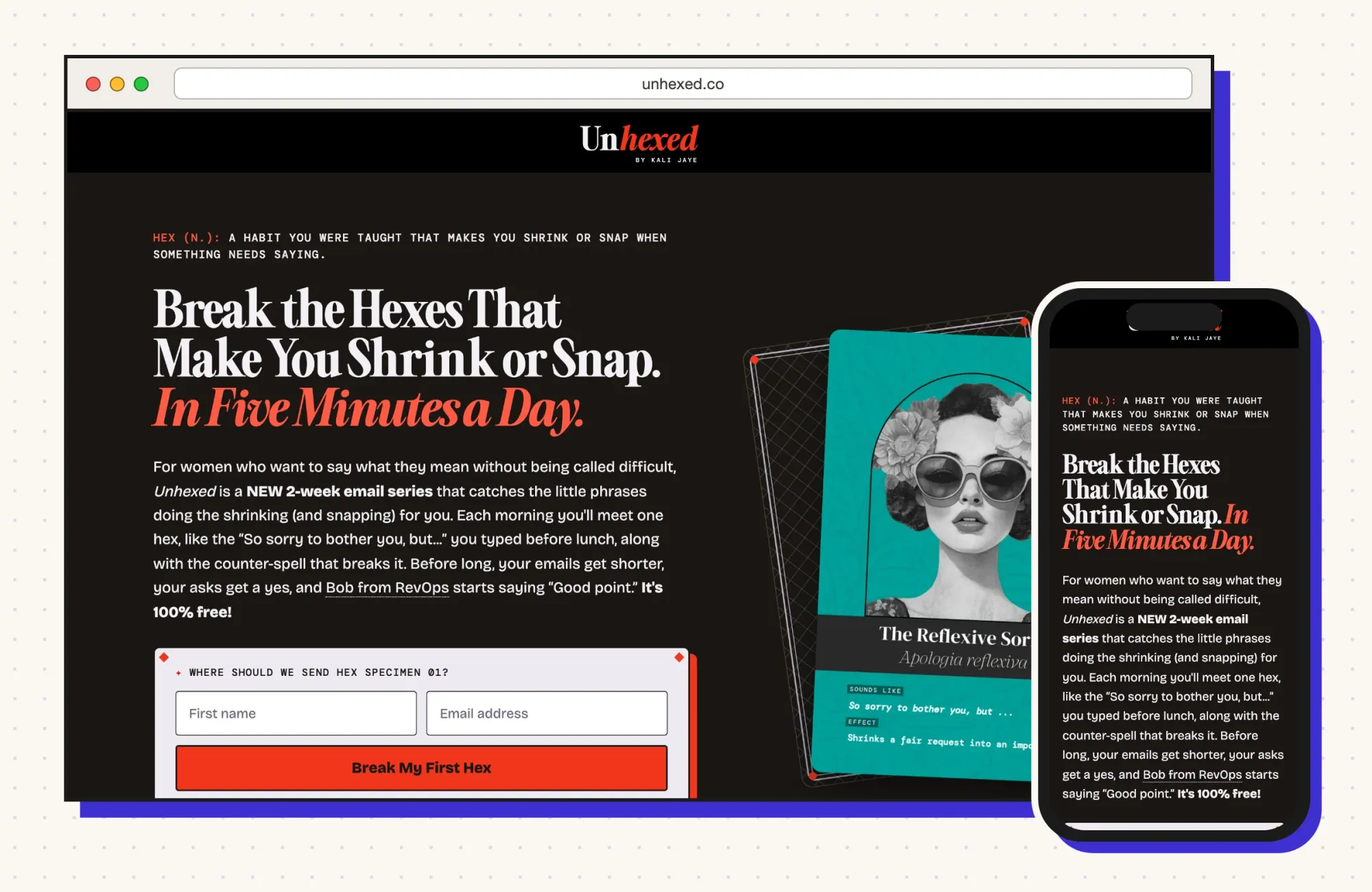
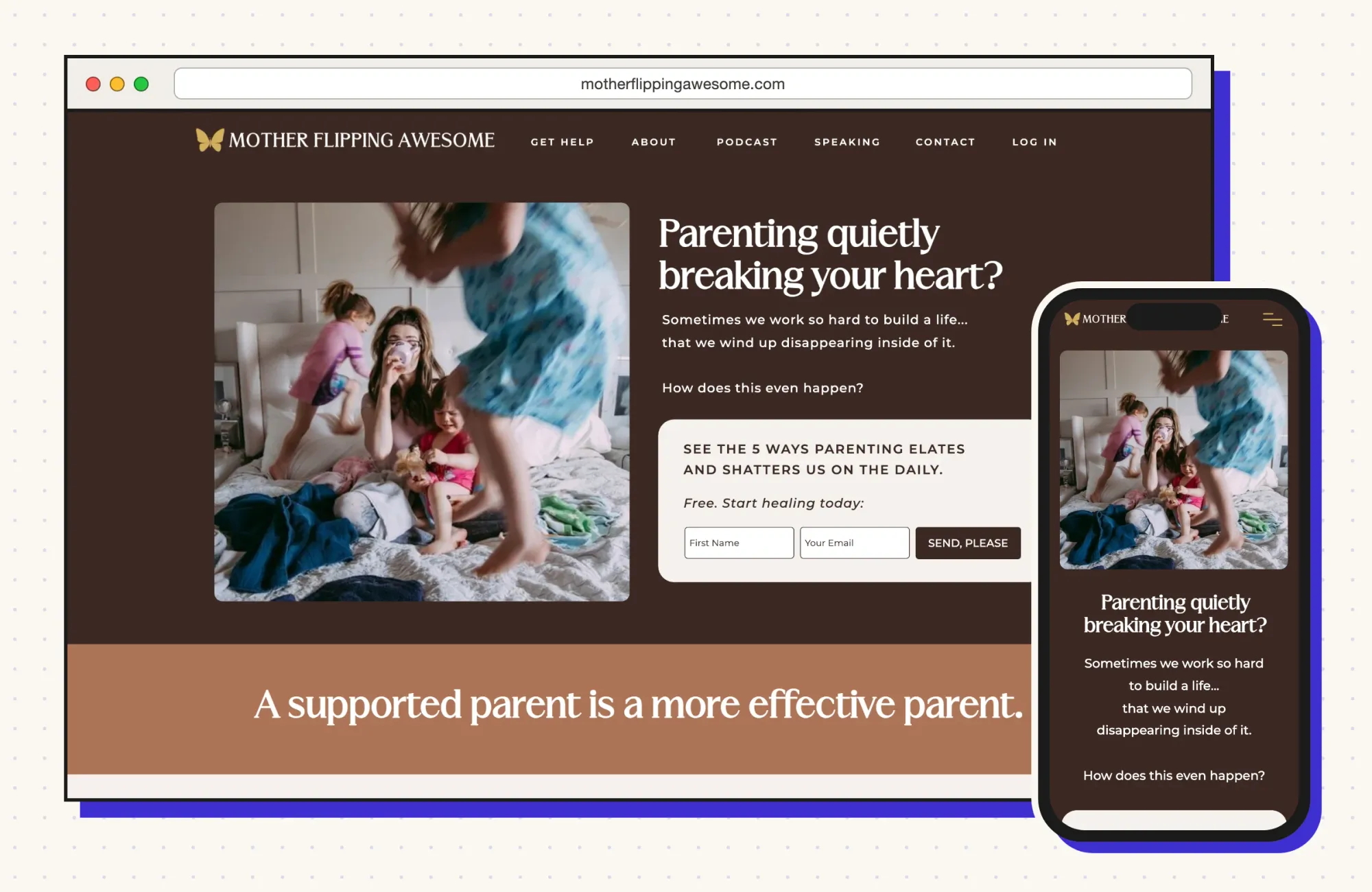
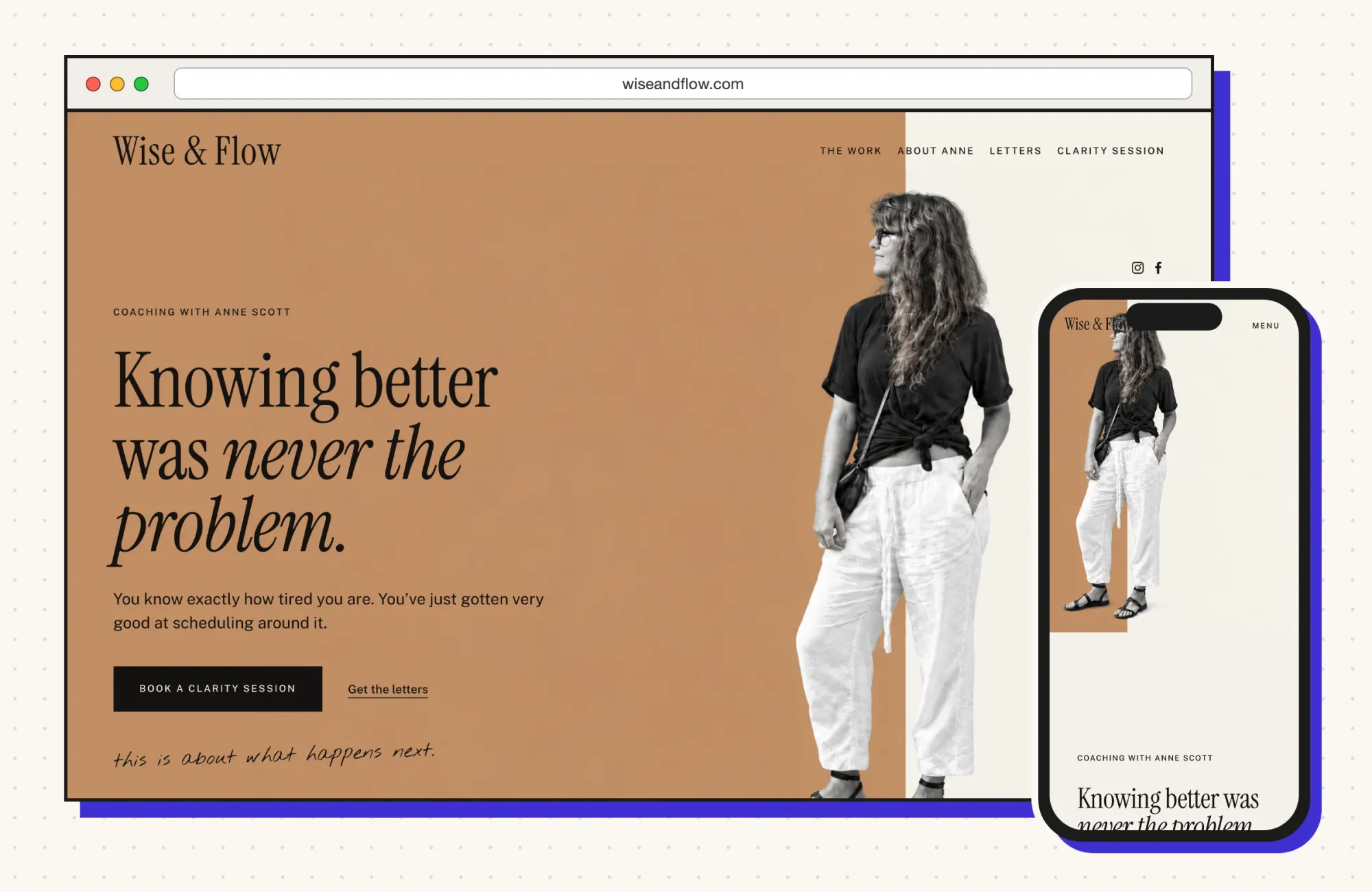
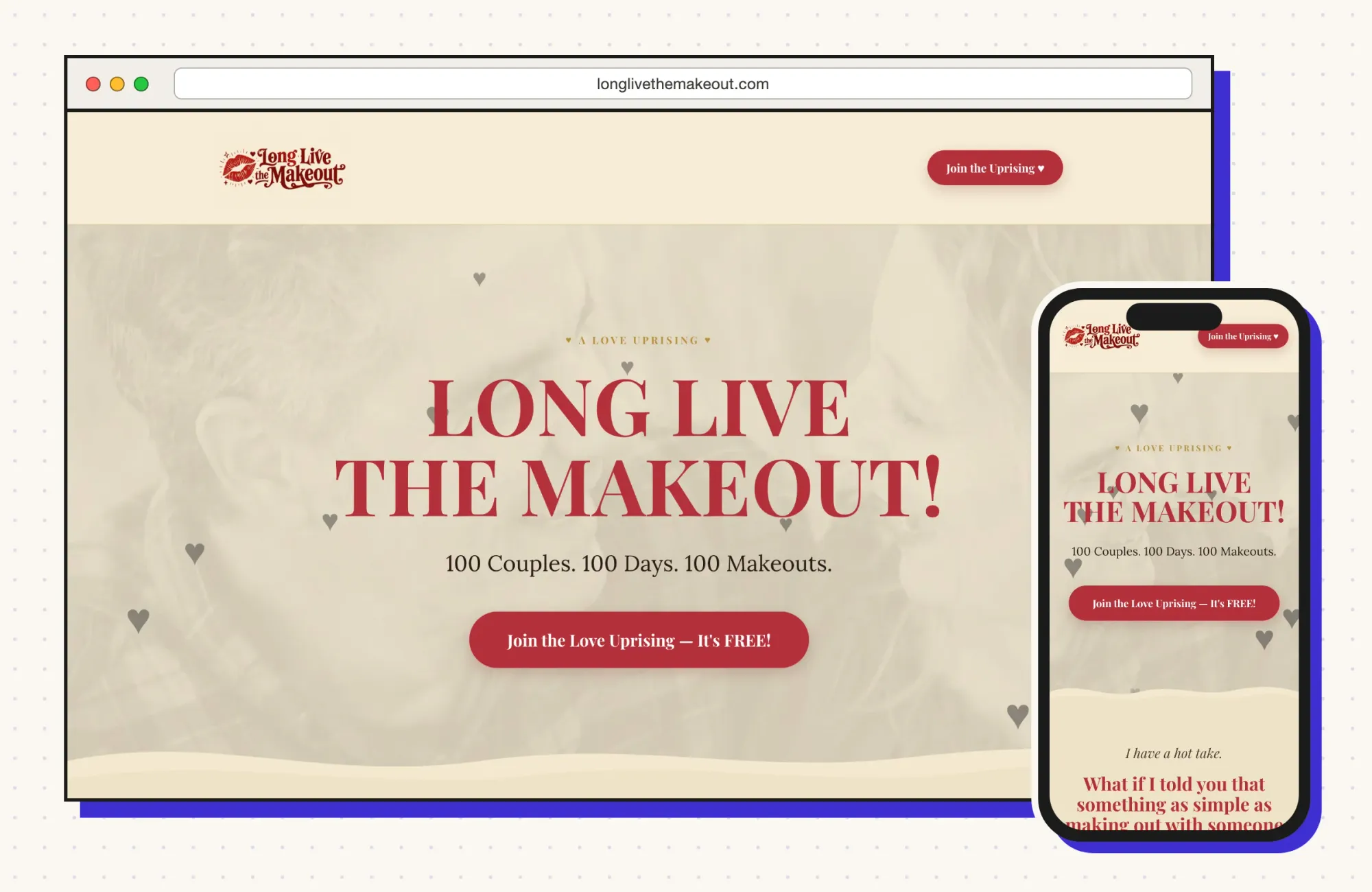

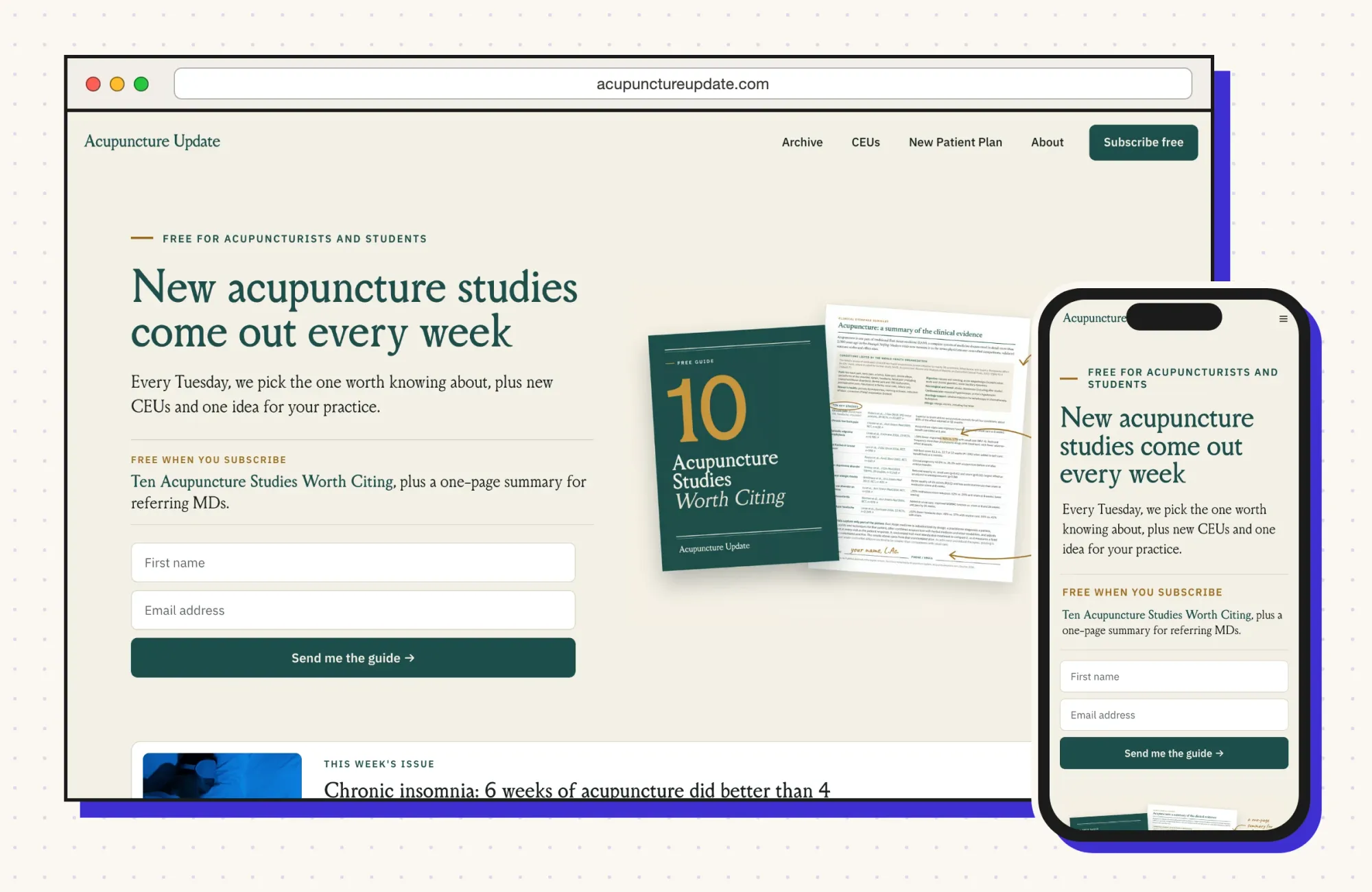
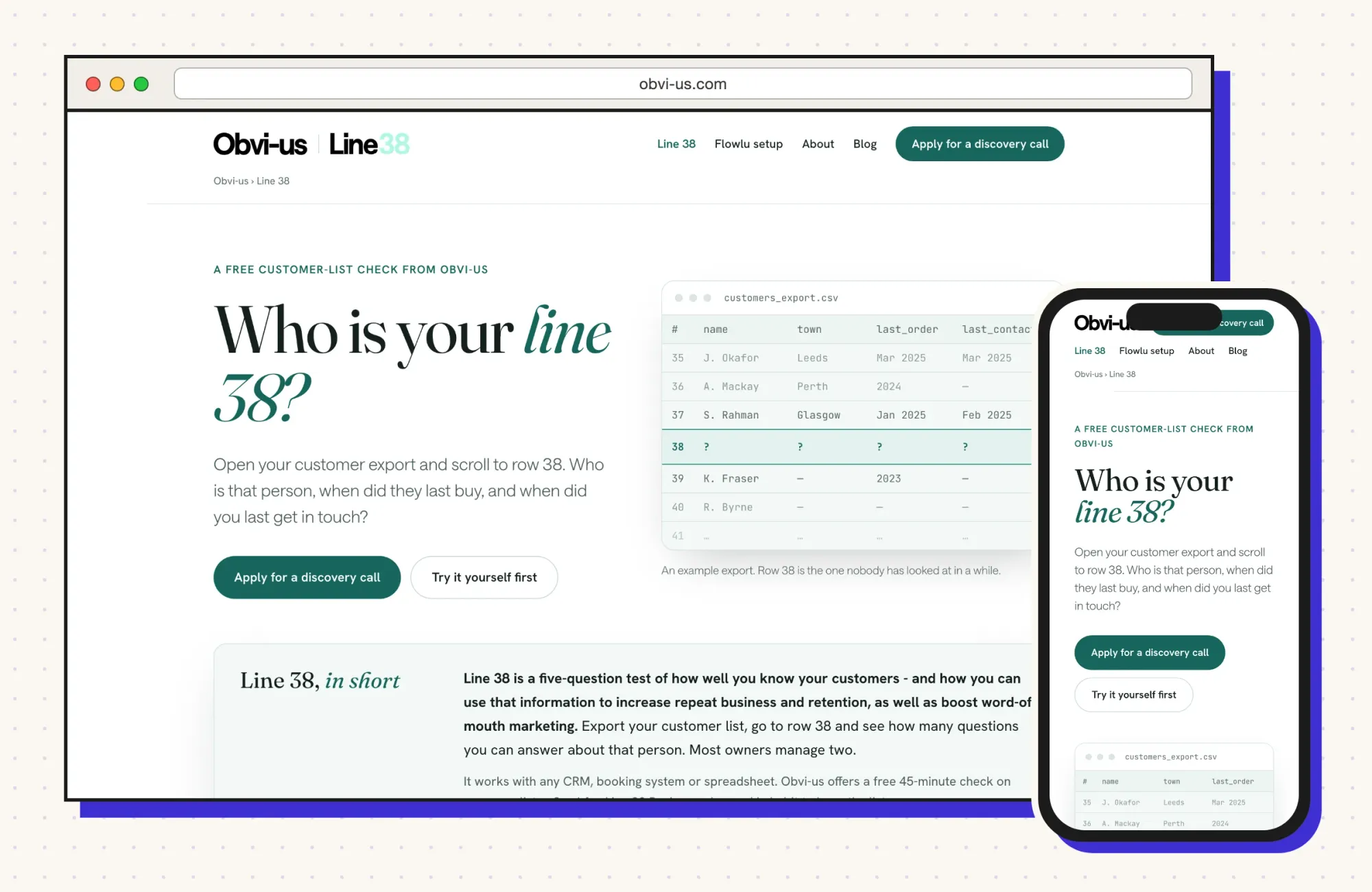
And two you'll watch get rebuilt, start to finish.
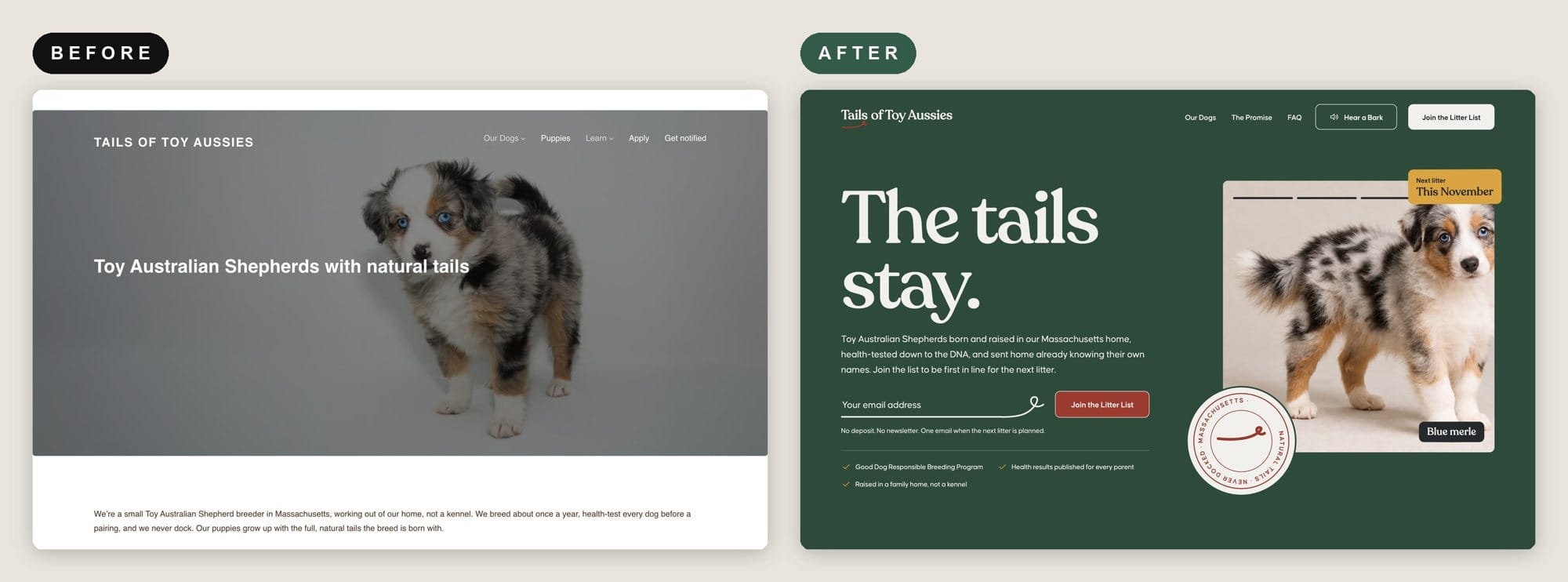
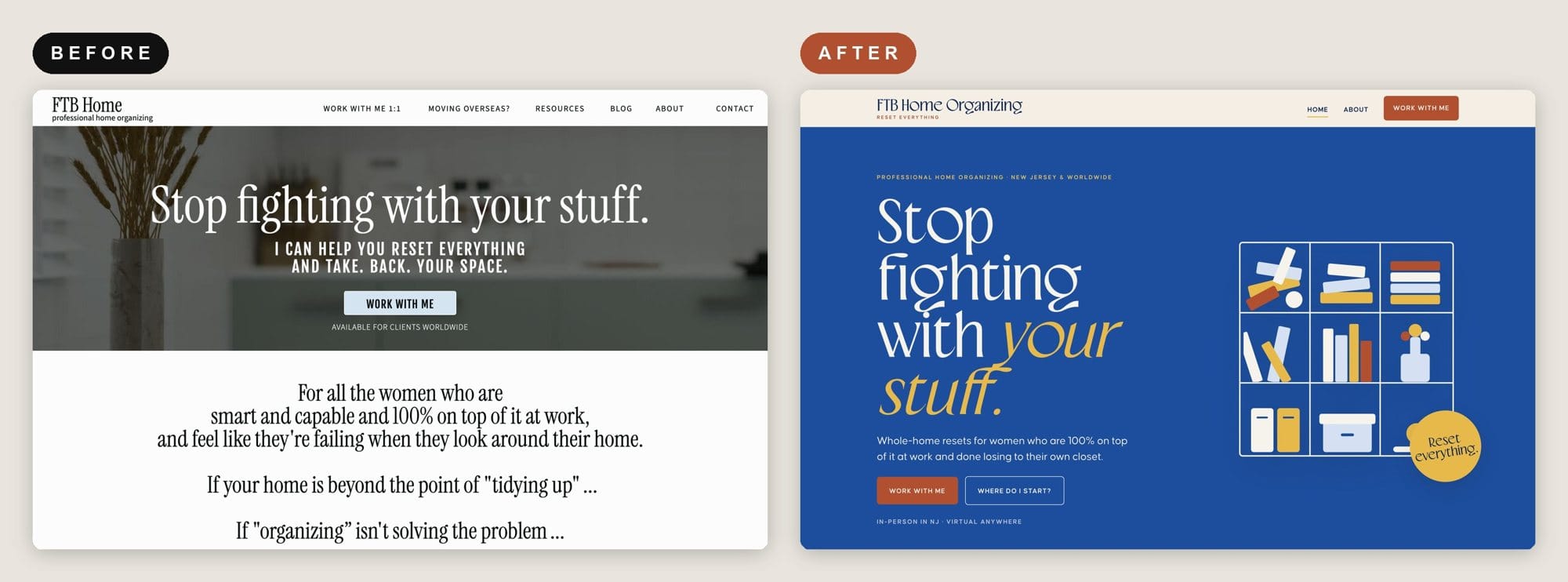
Inside the lessons I redo the websites of two real small businesses (a dog breeder and a home organizer) while you watch, from the site they had on the left to the one on the right. Click either to enlarge.
Introducing: Claude for Business Owners
This is a complete 9-part operating system for your business, on-demand and self-paced: 45+ step-by-step videos, waiting in your library the minute you enroll, ready to stream and implement immediately. Each one is short, practical, and ends with something working in your business. Go in order from Part One, or jump straight to whatever's costing you the most sleep. Nothing expires. Everything is yours forever.
Every lesson is broken into short, step-by-step videos you follow along with, one screen open and Claude on the other. Open any lesson below to see exactly what's inside.
1—Get Claude set up and plugged into your business
Get Claude set up properly and plugged into your actual business: your email, your calendar, your files, your payments. Then a quick exercise at the end that shows you what it can already do with everything it now knows about you. (It's a good moment.)
- Sign up for Claude Pro
- Download the desktop app
- Adjust your privacy settings
- Edit your memory settings
- Have Claude interview you about your business (this is how it forms its core memories of you)
- Install connectors and edit permissions so Claude can work alongside you in your favorite apps
- The mine-your-inbox exercise: point Claude at your inbox and have it find the money you're leaving on the table (unpaid invoices, pricing questions you never answered, past clients who said “let's work together again”), ranked by what each one is probably worth
2—Give Claude mad business skills
Teach Claude your offers, your clients, your voice, and your rules exactly once. Then turn your own methods (the way you onboard, the way you write, the way you do the thing you're known for) into skills Claude uses forever. This is the day it stops being a chatbot and starts being staff.
- Using Claude skills (and why they're so dang important!)
- Where do Claude skills live?
- What does a good skill look like?
- Creating your first skill: your email voice skill
- Creating your second skill: a subject line writer
- Creating a skill with your own content, Zoom calls, client calls, workshops, courses, and programs
- Creating a skill by recording your screen
- The giant list of skill ideas to steal
3—Build an awesome new brand identity, complete with new fonts, color palette, and vibe!
Starting over, or starting from scratch? Claude helps you find your colors, fonts, voice, and logo direction, then packages it into a brand guide it follows forever, so everything you make from here on looks like it came from the same very expensive-looking company.
- Introduction to design systems in Claude
- How to create a design system for your existing brand
- How to create a modern new brand with Claude (Part I)
- How to create a modern new brand with Claude (Part II)
4—Build a one-page website or a full content publishing empire
Build a landing page—a single sales or signup page that stands on its own or plugs into the site you already have. Or build a full website—multiple pages plus a blog for publishing articles. You won't learn to code. You'll learn something far more valuable: how to direct someone who does.
- Build a one-pager website, landing page, sales page, or opt-in page
- Art direct your one-pager until it looks like you, not like AI
- Publish your one-pager: hosting, forms, and your own domain
- Introduction to Claude Code
- Add content to your website design: a blog, articles, your newsletter posts
- Set up your account with Ghost (my preferred platform, and here's why)
- Edit your settings in Claude Code (so Claude can drive, baby!)
- Preparing your design files for Claude Code
- Coding your website with Claude Code
- The alternative: edit the Squarespace, ShowIt, Kajabi, Podia, Teachable, or Thinkific site you already have instead
5—Turn your Claude Design into social media banners that match your brand
Take the design you just built and turn it into social media banners, profile headers, thumbnails, and post graphics in the exact sizes every platform wants, all pulling from the same colors, fonts, and feel. Goodbye to spending ages making Canva graphics you don't even like.
- Before you start: check that your design system from Part Three is in place
- Start a Banners project in Claude so nothing drifts off-brand
- Make the open graph image first: the one banner you lock in and build everything else from
- Art direct it until it's right
- Translate it into every size every platform wants (LinkedIn, X, Facebook, YouTube, Instagram)
- Get them onto your platforms, and where the files live so you never make them twice
6—Create a matching newsletter theme
A newsletter template that looks like it came from the same company as your website, because it did. Header, buttons, colors, fonts, footer: built once, applied to every email you send from here on, in Kit or whatever you use.
- Open Claude Code in the right folder (the one with your design system in it)
- Say what you want, with specifics: header, buttons, colors, fonts, footer
- Look at what it made and fix anything that's off
- Save it as a template in Kit (or the email platform you already use)
- Using it from now on: every email on-brand, without opening a settings page
7—Create super lead magnets that convert
A gorgeous lead magnet people will trade their email for in five seconds, designed on-brand and wired straight to your list (no Adobe InDesign, thank LORD). The fast version first, then the fancy stuff: calculators, quizzes, and little tools people actually use.
- Introduction to lead magnets with Claude: why most of them have gotten squishy, and what you can make now
- Create a PDF lead magnet guide that converts: take the question everyone keeps asking you, let Claude interview you, design it on-brand, and have Claude Code wire it to your list and your website
- Create an advanced lead magnet: calculators, quizzes, and tools people actually use, with the opt-in placed where they'll say yes
8—Introducing the magic of scheduled tasks: stay on top of your inbox like never before
Routine emails answered in your words, from a script you write. The hard ones, like when you know you're going to miss a deadline, drafted and waiting for your edits. And the ones that require a fully personal note: flagged and sent to you as a task to follow up on. All of it running on a schedule, even with your laptop shut.
- Sort your email into types (the ten kinds a business owner gets) and decide what Claude does with each: ping you, reply, draft, forward, or file
- Start an Email project (not a scheduled task, not yet)
- Add context for each type, including the exact script for the emails that can answer themselves
- Point the project at your email voice skill from Part Two
- Pick your model and connect your inbox
- Create the scheduled task and test it with Run now
- More ways to put your inbox on autopilot
9—Get your books done (and stop dreading taxes)
Catch up on the bookkeeping you keep meaning to do, find every money leak and forgotten subscription, and set up a tax-savings system that runs itself. (Your accountant stays. They'll just like you more.)
- Connect your bookkeeping software (QuickBooks and friends) and set your permissions
- No software? Two other options
- Create a Bookkeeping project
- Ask Claude about your numbers: the one who always knows where you stand
- Put it on a schedule so the books check themselves
- Categorize your transactions with Claude in Chrome
- Hand it off to your accountant
10—Get your legal docs buttoned up
Update your terms, privacy policy, refund policy, client contracts, and affiliate agreements for your actual business. (No lawyers replaced here, but you'll walk in with everything done.)
- The docs most businesses need (and which ones you're missing)
- List everything you sell
- Create a Legal project and give Claude the whole scope up front
- Answer the interview questions, then ask it to go deeper
- Review the draft, then make Claude play opposing counsel
- Repeat for every doc
- Have a real lawyer review
11—Create an endless stream of sharp, interesting, super smart content ideas
Never stare at a blank page again. Claude learns your beat, then drops a fresh brief of sharp, original content ideas in your lap on whatever day you pick, pulled from what's happening in your industry, what people are asking about, and years of advice already sitting in your own outbox.
- The ten content buckets: industry news, tutorials, the interview, audience questions, contrarian takes, research translation, teardowns, cross-industry steals, archive mining, calendar hooks
- Have Claude interview you for your Beat Profile: the three to five topics you want to be known for, and what makes your take yours
- Make a Content Ideas project
- Set up your content brief as a scheduled task, delivered on the day you choose
12—Example with Ash: watch the whole thing get built live
Theory is great and all, but seeing it in action is where it clicks. Watch me set up my own content brief from scratch, then go through what Claude brought me on the very first run, item by item, so you know exactly what “sharp, original ideas” looks like when they show up in your lap.
- Create the Content Ideas project
- Paste your Beat Profile into Instructions (and why Instructions, not Context)
- Paste in the brief prompt and answer Claude's two questions
- Go through the first test brief together, item by item
13—Get your content found in AI search engines
Add the hidden code that gets your posts quoted when someone asks an AI search engine a question you've already answered. It takes about four minutes, and it's how people find you now that nobody Googles anymore.
- What AI search engines actually look for, and what Claude will do for you
- Copy the prompt into Claude and answer its questions about your site and your posts
- Check the first post, then let it run across your archive
- The short-answer block and the FAQ code, added to every post without turning your writing into a Wikipedia page
14—Take one piece of content and repurpose it for your socials
Every time you publish, Claude repurposes it into social posts for every platform, in your voice, and drops them in your drafts ready to go. It doesn't rewrite you: it pulls your actual lines, your stories, your stances straight out of the issue you already wrote and re-aims each one at a specific platform.
- The two things your social calendar runs on: your newsletter, repurposed, and variety posts about you and your business
- Build the newsletter-repurpose skill: one prompt, saved forever
- What it does every run: checks each platform's latest rules, pulls an idea inventory from your issue, writes one post per platform per slot, and tells you why
- Video scripts you can actually shoot (or a carousel instead, if video isn't your thing)
- Into Buffer as drafts. Nothing goes live until you say so
15—Cold email pitching and follow-up that works
Claude researches the podcasts, partners, and prospects worth pitching and writes the pitches, then tracks who's gone quiet and drafts personal follow-ups (not “just checking in”). Nothing sends without your okay.
- Run the setup prompt: your one offer, your links, who to reach, one real message so Claude learns your voice, and your “give” (the thing every prospect keeps whether or not they reply)
- Let Claude write the hard parts, then correct it
- Create your Outreach project
- Pitch one person: Claude researches them and writes the message
- Read the prospect brief, then negotiate the angle
- Get the whole follow-up sequence, not just one email
- Make it sound like you, and update the prompt once you know what works
16—The strategic way to figure out what to charge (with confidence!!!)
Everyone's kryptonite. Talk through what you offer and who it's for, and Claude comes back with where your market actually sits, a tiered rate card, add-ons priced as monthly modules instead of à la carte favors, and the setup work you've been doing for free bundled into a fee with a number on it. Then ask it to show its math, and it will: self-employment tax, health insurance, the hidden costs you never put in the price. You'll land on a number that feels a little scary and a lot more defensible.
- Start a Pricing project and dictate the brief: the offer, the deliverables, the add-ons, who it's for
- Read the market: where your service actually sits price-wise, and what undercharging looks like in your field
- Price against what it's worth to the client, not your hours (the hourly model punishes you for getting good at your job)
- Build the rate card: setup fee, tiers by client size, add-ons as monthly modules, and the things you've been giving away
- The no-portfolio problem: founding-client pricing that gets you case studies without discounting your rate card
- Contract terms that protect you: minimums, exclusivity, and who owns what when it ends
- Make Claude show its math, then hit reply and negotiate until the number is yours
17—Send interactive proposals that convert and impress (with a fraction of the work!)
Talk through a project for five minutes. Claude turns it into a scoped estimate and a polished proposal with your pricing, your terms, and your branding, ready to send before the client has finished their latte.
- The voice memo: talk through the project like you'd tell a friend
- Scope and estimate: line items, your real pricing, assumptions, and what's out of scope
- The proposal: branded, with your terms and next steps, exported as a PDF
- Make it a skill so every proposal follows your format
- A simple pipeline tracker: sent, viewed, follow up by
18—Create client trackers that automatically send status updates to clients and keep you more organized than EVER
One tracker, built right inside Claude, that keeps your clients in the loop for you. Every week each client gets a tidy project update (what's done, what's next, what you still need from them), their replies update the tracker automatically, and the quiet ones get a polite nudge. You get one Monday morning email that tells you where everything stands. (No more “hey, where are we at on this?”)
- The copy-and-paste prompt that builds the whole tracker, in practice mode, with pretend clients that look like yours
- Update it by talking: tell Claude what happened and it rewrites the client's row
- The weekly client update, written only from what's in the tracker and sent on the day you pick
- Client replies: approvals and queue changes update the tracker; price, scope, and deadline requests get flagged for you
- Stage notices, three-day and seven-day nudges, and deadline warnings before anything is late
- Your Monday brief, plus the go-live checklist for switching to real clients
19—Turn what you know into something you sell
Claude interviews you to mine your brain, your experience, and your wisdom, finds the holes in your thinking, and helps you outline and build the course, guide, or program you've been talking about for two years.
- The brain-mining interview: Claude interviews you one question at a time
- Find the holes: it pushes back on weak spots and gaps in your thinking
- Pick the format: guide, course, cohort, template, workshop
- Build it: outline, lesson scripts, worksheets, branded PDF
- Price it, using your audience size and what's converted before
20—See your whole business on one screen
Set up dashboards with the business reports you actually care about (sales, subscribers, what's working, client progress) that refresh themselves every morning. Then use them to predict what your next offer will do before you spend a dollar promoting it. You, running the whole show.
- Pick the numbers: sales, subscribers, open rates, top content, client status, cash in the bank
- Build it as an artifact, in your brand, with a chart for each
- Make it refresh: a scheduled task pulls fresh numbers every morning
- Predict the next offer: list size, typical conversion, price, and what you'd need to change to double it
- The wrap-up: everything you built in this class, assembled
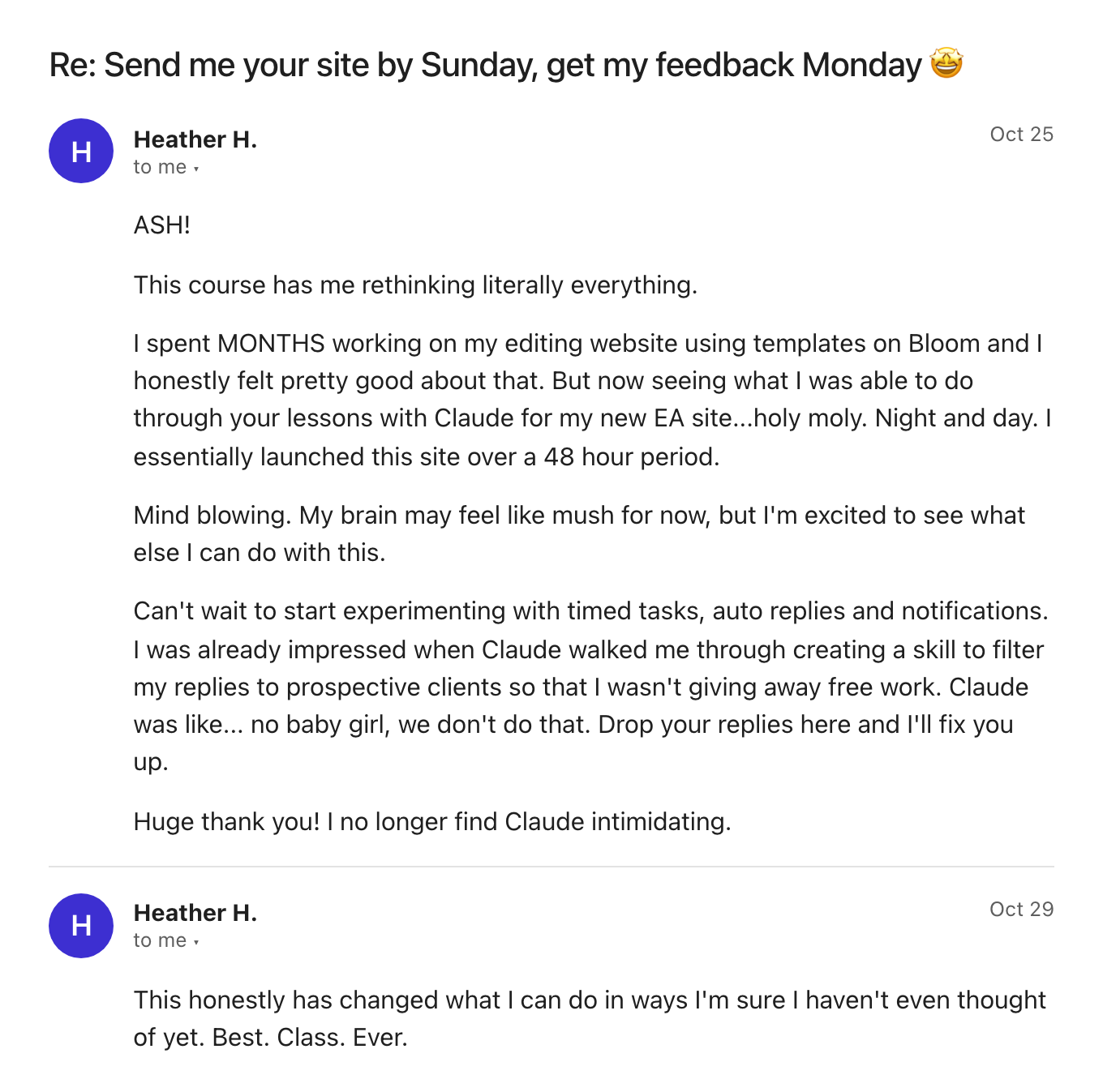
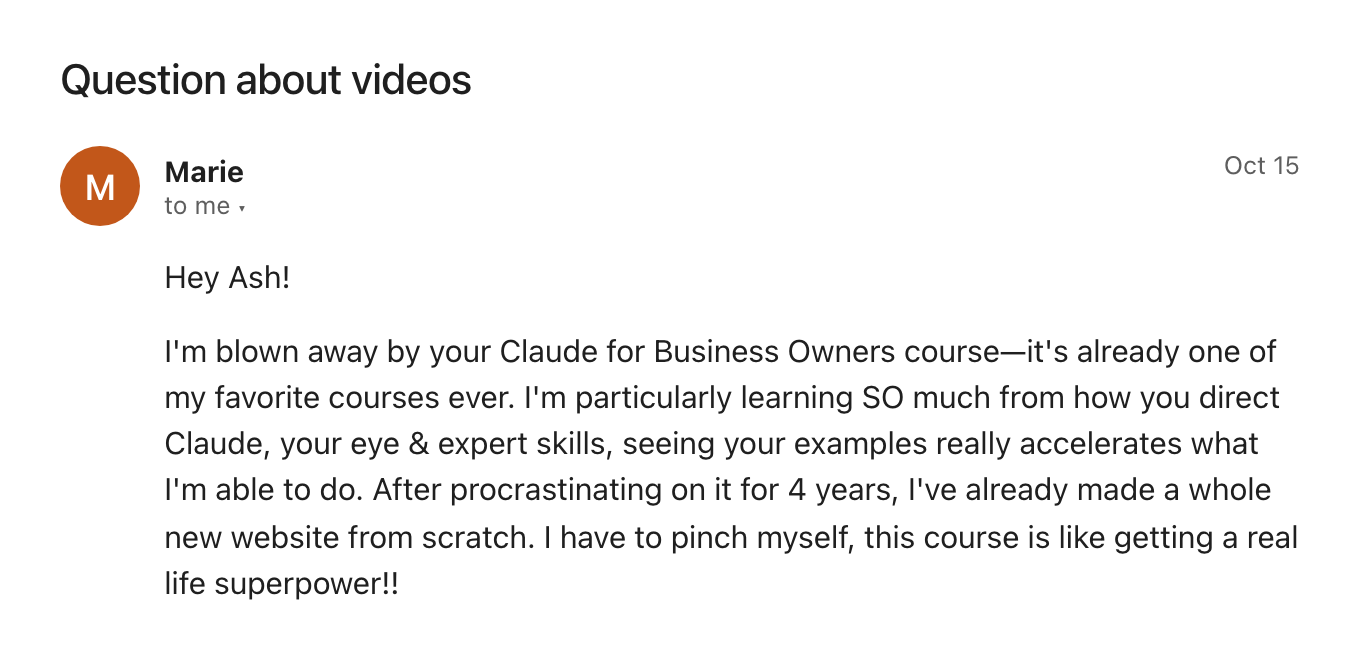
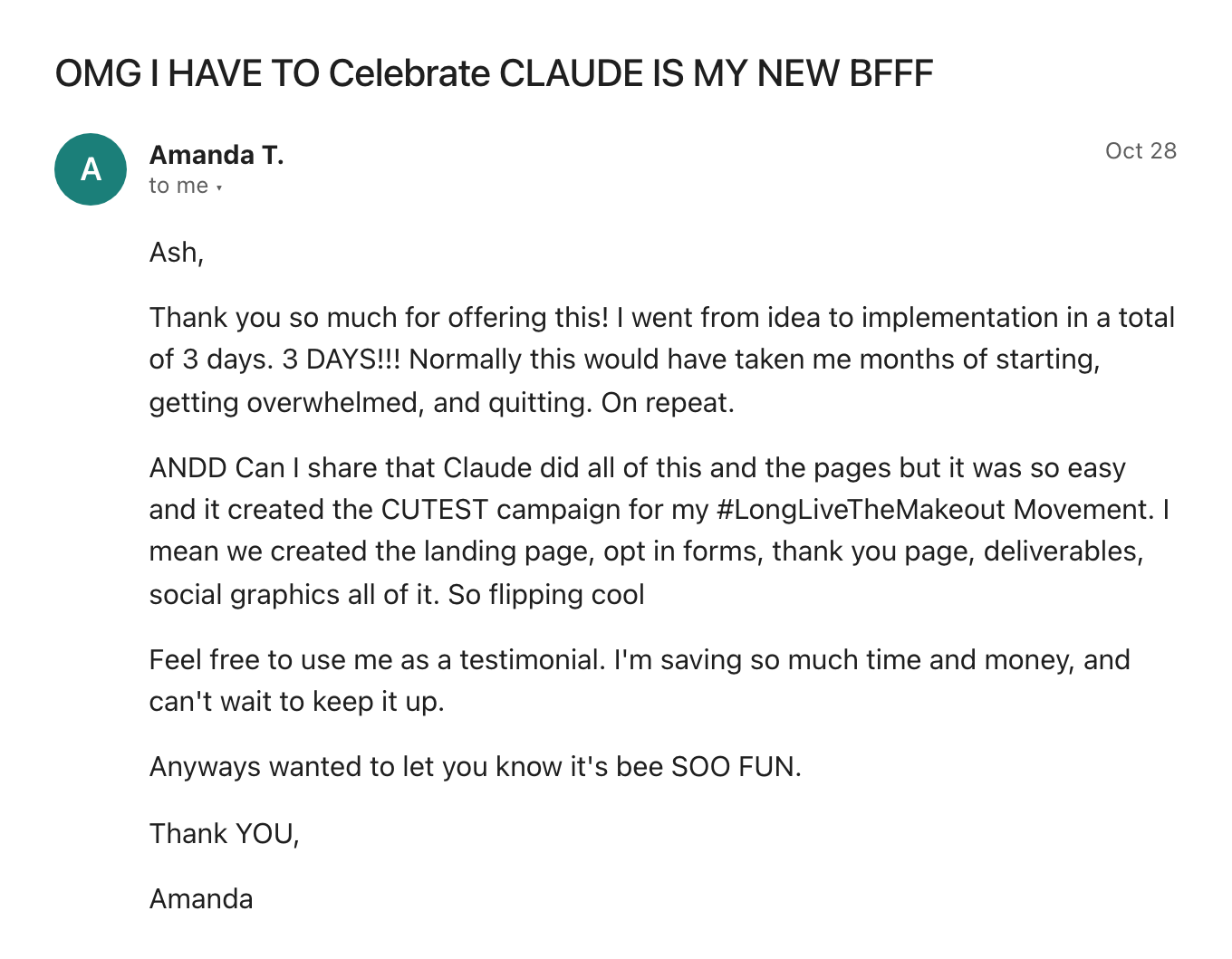
Straight from my inbox.
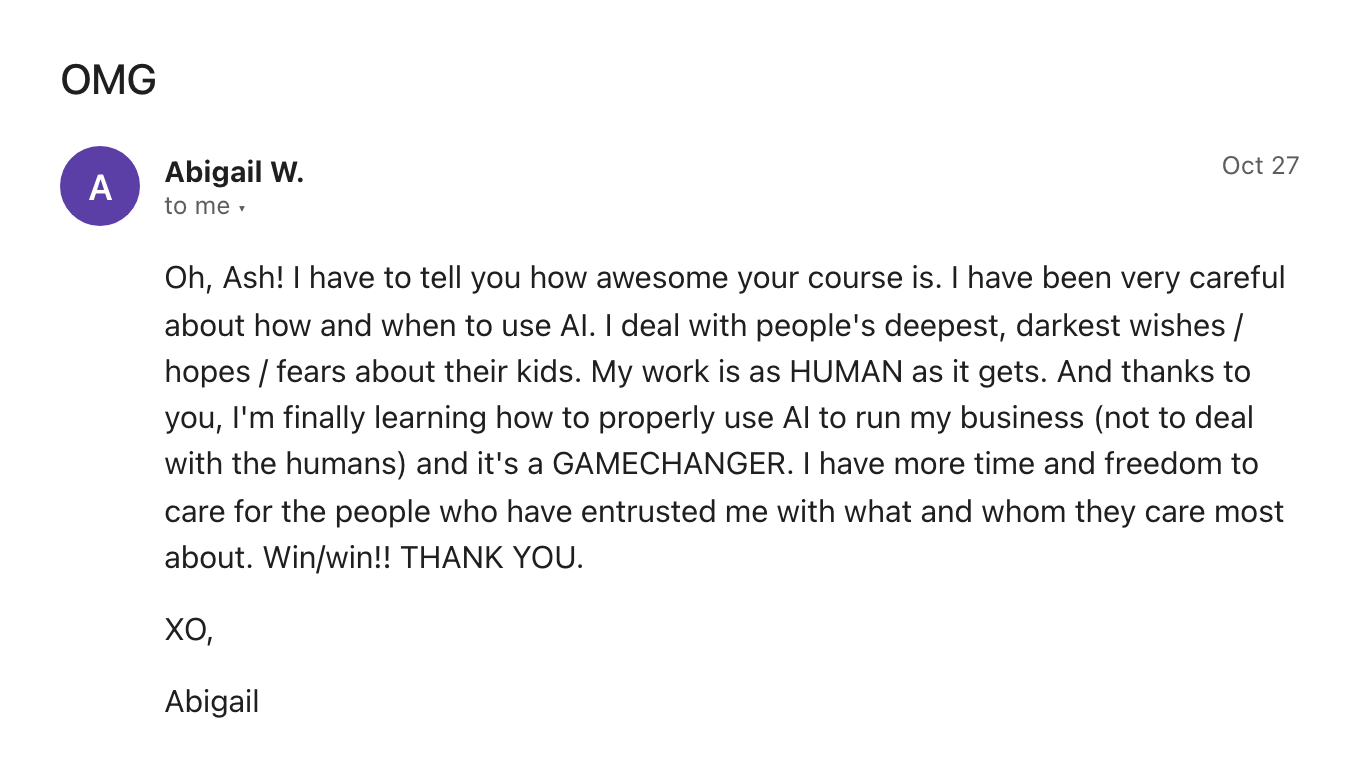
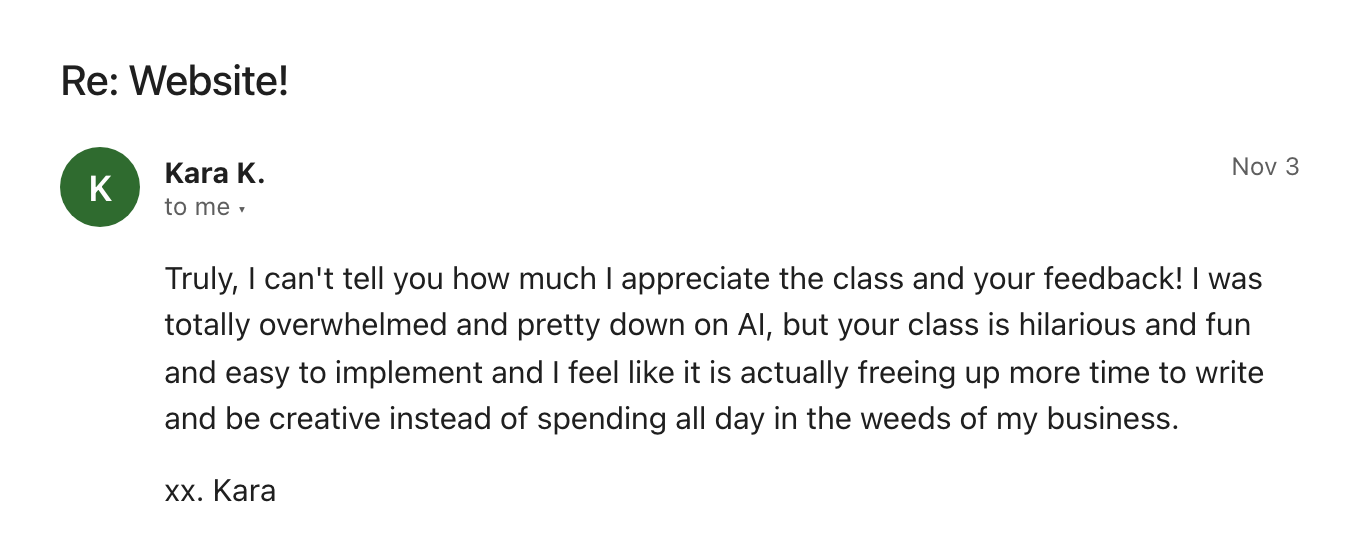
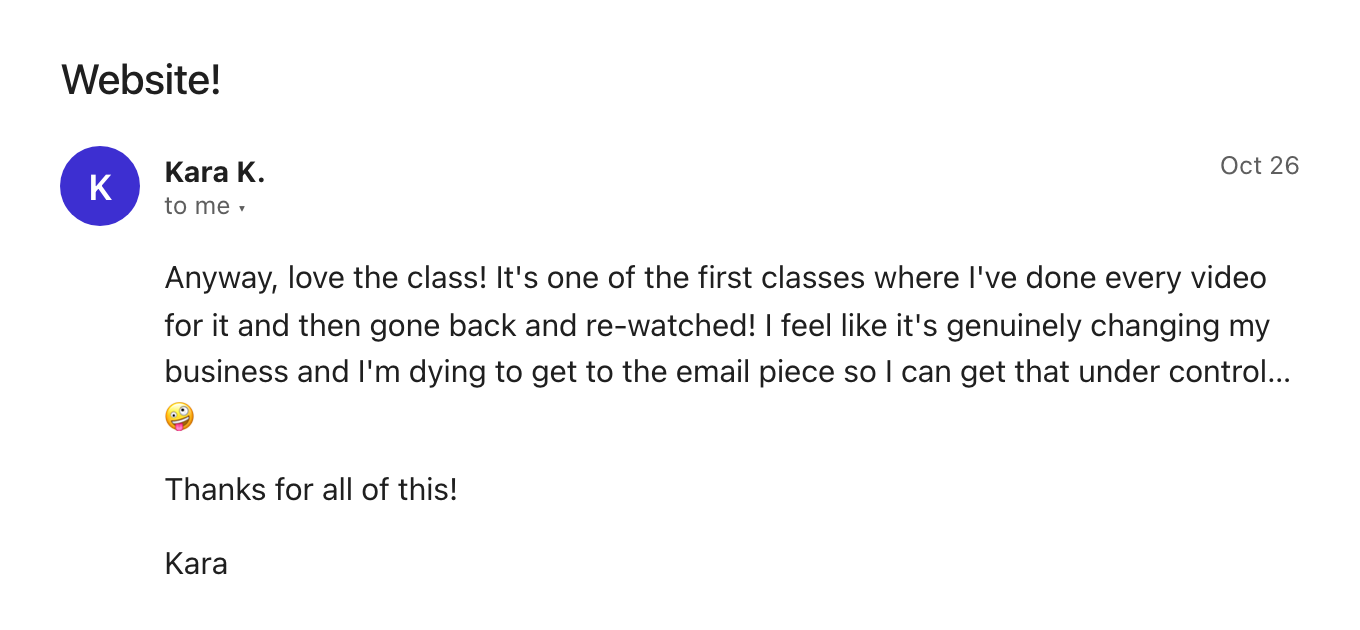
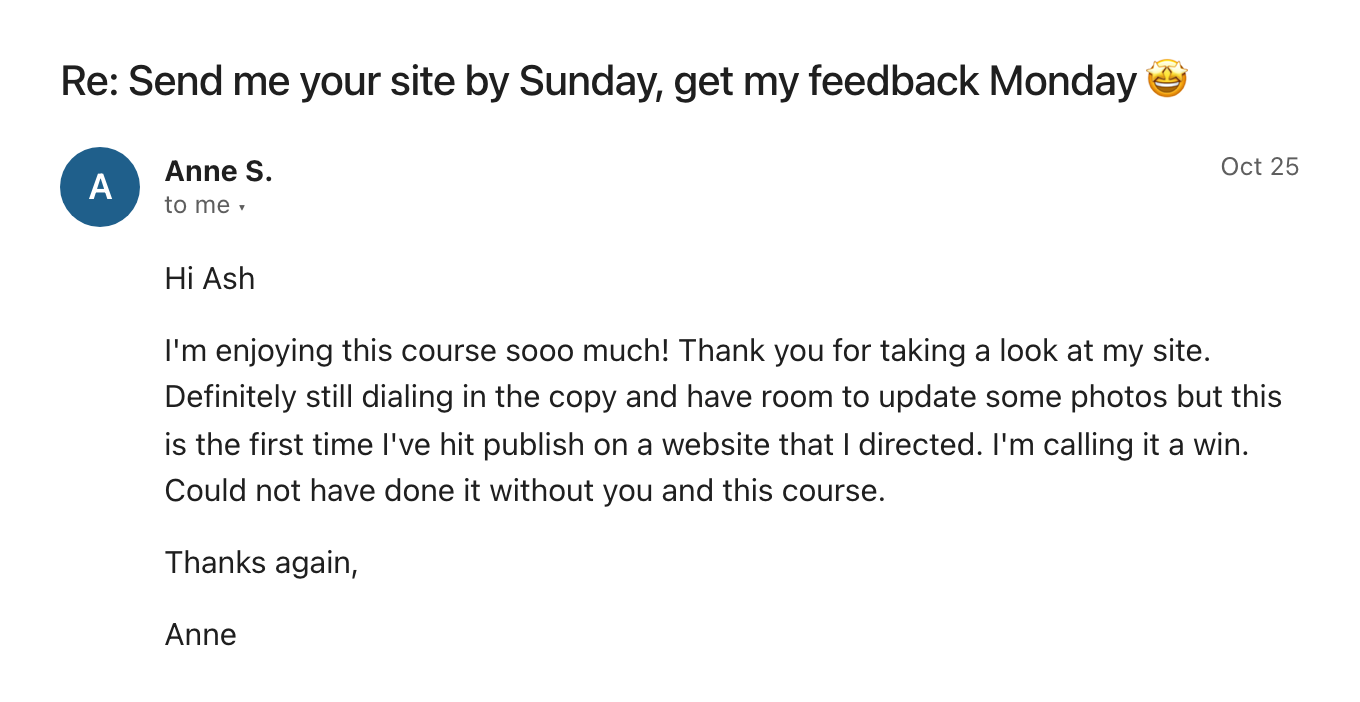
Real emails from business owners inside the class, shared with their permission. Last names trimmed, cropped to the good parts, gushing left intact.
Click any email to read it full-size →
But isn't using AI kind of…cheating?
Most business owners have opened up a basic tool like ChatGPT, asked it to write an Instagram caption, gotten something mediocre back, and then dismissed all of it because it felt totally…fake. Inauthentic. Cheap. And, honestly? You didn't feel dignified about it in the least.
That's not the way people like us work. People like us have always been the ambitious ones. The determined ones. The hard-working intellectually-minded who have prided themselves in the quality of their work since homework was a thing. (We loved homework.) So, naturally, using AI in your business has felt a little out of character—sort of like cheating on the test. Or having someone else do your homework. Unthinkable! (No, but really.)
You've built your agency, your studio, your firm, your company on principle. On your name. On your sweat and tears. And on your reputation. You don't want to cheapen it with AI.
Right?
But, what if I presented you with an alternate narrative?
What if, instead of imagining AI to be a cheaper version of you, you saw it as a force multiplier of you? What if I told you that you could become a superhuman version of your current self, but 100x smarter, 100x faster, and 100x more competent?
That's what everything on this page is. Not because any of it is “cheap” or “inauthentic.”
But because you have finally discovered how to use your human creativity and pair it with superhuman AI tools like Claude to make yourself 100x more effective.
It isn't a matter of principle.
It's a matter of intelligence.
Literally.
And, why wouldn't the smartest person in the room want to make themselves even smarter?
The math, in case you're the spreadsheet type.
That's not a typo—it's a 96% discount on running your business, and the skills never expire. Courses teaching AI for business at this depth routinely run $1,500–$3,000, and usually cover one topic. This is nine parts and 45+ step-by-step videos, taught by someone who actually runs her business this way. Lesson 9 alone pays the tuition back in about two and a half months of not outsourcing your books, and the other nineteen are free.
⚡ No start date. No waiting. Enroll for $995 and be inside the first lesson five minutes from now.
Finish Part Three. If you don't have a live website you're proud of, email me within 14 days and I'll refund you.
That's the whole policy. No form, no essay, no “but did you really try.” If this class can't get a website out of you, you shouldn't be paying for it. (Fourteen days from the day you enroll, which is plenty: the students above did theirs in a weekend.)
What happens next?
You enroll. Your login lands in your inbox within minutes, along with a short intake form where you tell me about your business.
You start wherever you like. Go in order from Part One, or jump straight to the lesson that fixes your worst bottleneck first. Every lesson is short, step-by-step, and built to be done, not just watched.
It's yours forever. Come back whenever your business changes. Your library keeps everything, including the final lessons still being added, and you'll get an email the moment a new one lands.
Who it's for—and who it isn't.
For: the people who are actually in this class right now: a brand photographer, a parenting coach, an acupuncturist who runs a research newsletter, a fractional executive assistant, an editor, a communication consultant, a CRM guy, a few writers, and a lot of coaches and consultants who run businesses on their own name. Most are over 40. Several told me they'd been “careful” or “conflicted” about AI, and one said her work “is as human as it gets.” If you suspect you're using 4% of what this technology can do, this is your class. Total beginners are extremely welcome; that's the point. Part One assumes nothing but a pulse and a business.
Also for: people who sell products, not services. Stevie built her site, checkout, emails, and course portal on Shopify in under a day. The only part you'd skip is the one about clients and proposals.
Not for: developers who live in the terminal, people looking for “passive income with AI” schemes, or anyone who wants theory. Every module ends with something running in your actual business—this is a working class, in both senses.
Not agents, swarms, or whatever LinkedIn is hyperventilating about this week. Just you, running your business, with the most capable assistant you've ever had—hooked up to your actual stuff.
Questions, answered.
Is this live? Do I have to show up at a certain time?
No. Nothing is live and there's no schedule to keep. Every lesson is recorded and waiting in your library the minute you enroll, so you can check a lesson off over coffee…and give yourself a whole superpower by dinner. Do one a day for momentum, or binge the whole thing over a rainy weekend. It's yours forever.
Is the whole class available right now?
Nearly all of it. Parts One through Seven are fully recorded and ready to stream today. The last few lessons (digital products and the dashboard finale) are being added now and land in your library automatically, with an email so you know. You will not run out of things to build in the meantime.
Do I need tech skills?
No. If you can write an email and click a link, you have the prerequisites.
I'm not a tech person. Also, I'm not 25.
Neither are most of the people in the showcase above. Suzanne has run her photography business for 20 years and redesigned her site in Part Three at 63. Anne had never published a page she directed herself until this class. Every lesson is screen-recorded, step by step, with the exact prompts to copy and paste, and you can rewind me as many times as you like.
I already have a website I like. Is the website part wasted on me?
No. Abigail kept her Showit site and used the lessons to direct Claude through the browser to rework it. Kara kept the template a designer made her and had Claude build a design system around it so her copy and thumbnails finally fit. And everything after Part Three (inbox, books, legal, content, pitching, proposals, clients, the dashboard) has nothing to do with your website at all.
I'm conflicted about AI. My work is human.
So was half the class, and so am I about plenty of it. The rule inside is simple: Claude runs the business, you do the human part. Abigail, a parenting coach, put it best: “thanks to you, I'm finally learning how to properly use AI to run my business (not to deal with the humans).” You'll also flip the privacy toggle in Lesson 1 so what you type isn't used for training.
I sell products, not services. Does this work for me?
Yes. Stevie, who runs Millennial(ish), built her site, checkout, emails, and course portal on Shopify in under a day (she's the first site in the showcase above). The brand, the website, the graphics, the email theme, the lead magnet, your inbox, your books, your legal docs, your content, the dashboard: all of it applies to a shop exactly the way it applies to a service business.
The only part you'd skip is Part Seven, the one about clients and proposals.
I'm currently paralyzed by life. Can I buy it now and start later?
Yes. The class is on demand, and it's yours forever. Buy it today, start it in January, or whenever life lets go of your ankles. Nothing expires and nothing is live.
I'm starting from scratch. No business, no offer, no revenue. Is this for me?
This class doesn't automate a business you already have. It builds the parts you don't have yet.
Lesson 3 is the brand. Lesson 4 is the website. Lesson 7 is the lead magnet, and Lesson 19 is literally “turn what you know into something you sell.” If you're walking in with a voice and an idea, you've got more than half the room.
Is there a community forum?
No—on purpose. You have enough tabs open. Every lesson is built so you can watch it, do it, and move on with your day.
What do I need?
A computer (Mac or PC) and a Claude Pro subscription—$20/month, and the best hire you'll ever make. Every lesson works on the plan you already have.
If you want to build a brand-new website from scratch in Part Three, you'll also need somewhere to put it. For a full content site with a blog, I recommend Ghost's Publisher plan (the one that lets you upload your own custom theme): $29/month billed yearly, or $35/month billed monthly, after a free trial. For a one-page site, landing page, or sales page, Netlify hosts it for free, custom domain and HTTPS included; their paid plan is $9/month if you ever outgrow that. Already have a website you love? Then you need nothing extra.
Does this work with ChatGPT or Gemini, or is it Claude only?
Claude only. On purpose. Because it's the best AI tool for business, hands down.
I built every lesson in Claude. The parts that make the class work (Claude Code, plugging Claude into your email, calendar, files and payments, the skills you write in Part Two so it stops forgetting who you are) are Claude features.
The thinking travels. How to brief an AI like an employee instead of a chat buddy, how to turn your methodology into something it runs on repeat, how to stop re-explaining your brand voice at 11:48pm. That works anywhere. The hands-on steps don't.
Will I run out of Claude on the $20 plan?
Nope, but you might hit pause. Claude Pro has usage limits that reset every few hours, and on the big build days (your website, your app) you might bump into one. I'll show you exactly how to stretch it: fresh chats, the right model, and building one piece at a time. If you hit the ceiling, take a snack break, and it'll be ready when you're back. (If you fall madly in love and want more, Max exists. Most people won't need it.)
How much time does it take?
Lessons are short: most under 25 minutes, plus a bit of doing. Nine parts, 45+ short videos, at whatever pace your actual life allows.
I'm on WordPress or Squarespace. Will the website module work for me?
Yes. WordPress connects to Claude directly—it can genuinely edit and modernize your existing site. Squarespace and Wix don't allow direct connections, so Claude drives your site editor through the browser instead—slower, but very real. And if you're ready to burn it down and start fresh, we build from scratch together.
Is my business data safe?
You'll set every permission yourself, and judgment runs through the whole class: what to connect, what to keep human, and how to verify. You stay the boss.
I'm in Europe and I use European-hosted AI tools. Does Claude keep my data in the EU?
No, Claude runs on US servers on every plan, including the $20 one this class is built on. There is no EU-hosted option. You can switch off model training with one toggle in your privacy settings (details in the next question), but your data still crosses the Atlantic, the same way it does with Gmail, Stripe, and most of the rest of your stack.
If keeping client data inside the EU is a hard line for you, this isn't your class, and I'd rather you keep your $995 than spend it finding that out. If it's a preference rather than a hard line: nothing in this class requires you to feed Claude a single client's data. Your brand, your site, your books, your inbox. That's all yours.
Does Claude train on my stuff? Is anything I build in there private?
Two answers, because two different questions are hiding in there.
Training. On the $20 Claude Pro plan, Anthropic can use your chats to train future models by default. You can turn that off. One toggle in your privacy settings, and I'd flip it before you type a single word of brand voice into the thing.
Privacy. Training is not publishing. Even with the toggle on, Claude is not going to hand your podcast concept to the next person who asks it for podcast ideas, and your sales page copy isn't sitting in a searchable pile somewhere with your name on it. It's a US company with US servers. Trust it the way you trust Gmail: real, not infinite.
Can I expense this?
Yes—it's professional development in AI operations, which is exactly the line item to fund this year. You'll get a proper receipt the moment you enroll.
What's the refund policy?
The Website Guarantee. Finish Part Three. If you don't have a live website you're proud of, email me within 14 days of enrolling and I'll refund you. That's it. Part Three is the brand and website lessons (3 and 4), and every student in the showcase above got through them, most in a weekend.
It's a results guarantee, not a browse-around guarantee: if you haven't done Part Three, there's nothing to judge, so do the work first. And if something's genuinely wrong (access, billing), email me anytime and I'll fix it.
About Ash
Ash Ambirge is a writer who uses AI for everything except the writing. She's the author of The Middle Finger Project (Penguin Random House), has worked for herself from other people's countries since 2009, and this year handed the entire ordinary half of her business—bookkeeping, web development, operations, marketing—to Claude, from an 1872 farmhouse with questionable cell service. Everything in this class is something she actually does, every week, in a real business.
By the last lesson, you'll wonder how you ran it any other way.
“This honestly has changed what I can do in ways I'm sure I haven't even thought of yet. Best. Class. Ever.”
Heather H. · fractional executive assistant · launched her site in 48 hoursClaude for Business Owners
A complete 9-part operating system for your business · Self-paced · Yours forever
$995 · On-demand. Start the minute you enroll.
The Website Guarantee: Finish Part Three, and if you don't have a live website you're proud of, email me within 14 days and I'll refund you.